Open source · on your own server
Know what you have and where it is.
No subscription, no fee per account, no cap on products. Install Inventari on your own server, even a VPS for a few euros a month, and run anything from the pantry at home to a warehouse full of parcels. And inside: the tools of a professional warehouse.
The demo needs no account. You can start from sample data.
Six steps to install, on a VPS of your own.
For the home, a small business and small production
When you set it up, you pick what you keep track of. Inventari shows the screens for that job and hides the rest.
For home
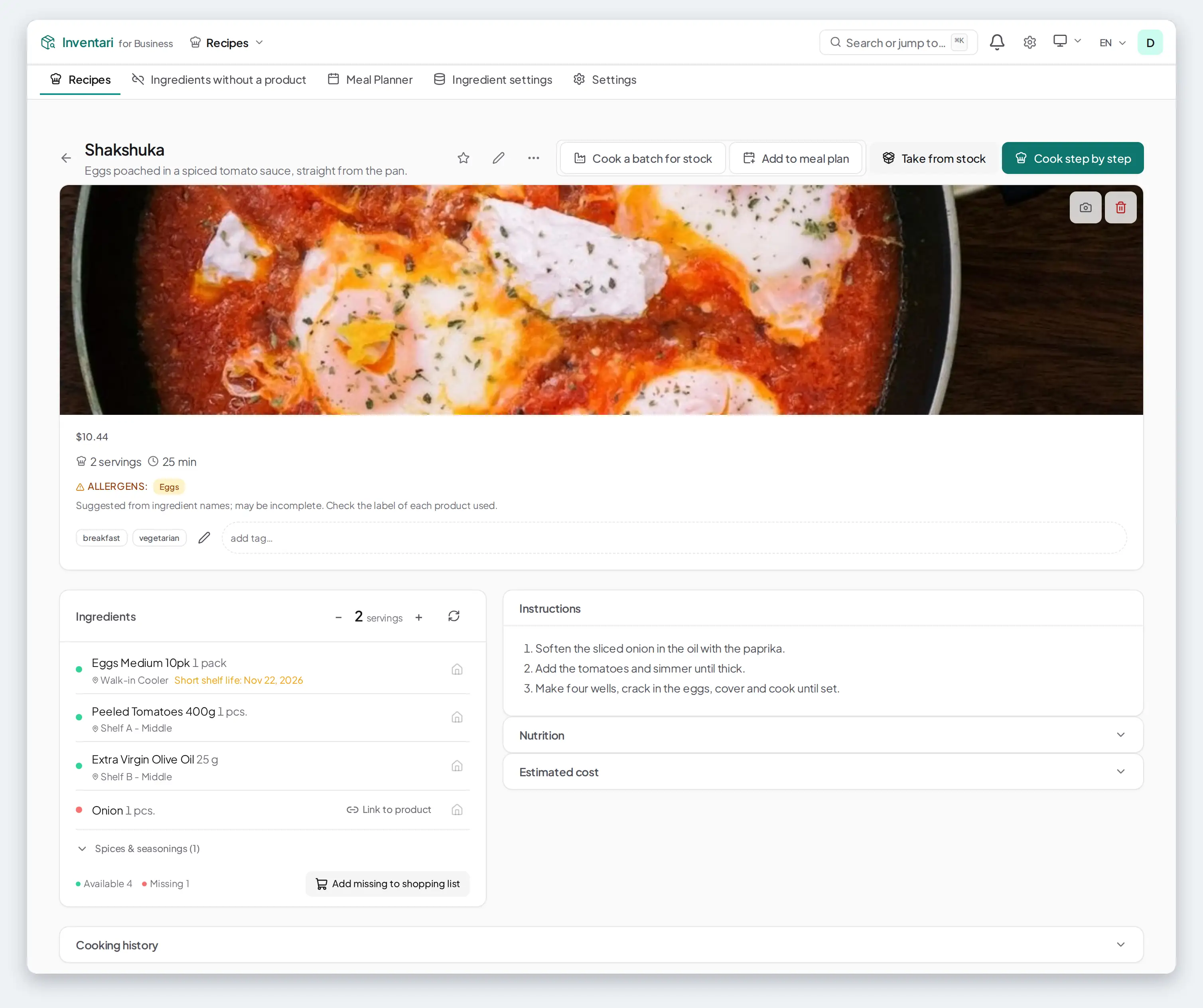
The pantry, the freezer and the garage, with best-before dates. Recipes see what is on the shelf, and what is missing goes onto the shopping list.
- Best-before dates and shopping lists
- Recipes that know what you have
- Labels for boxes and shelves
For a small business
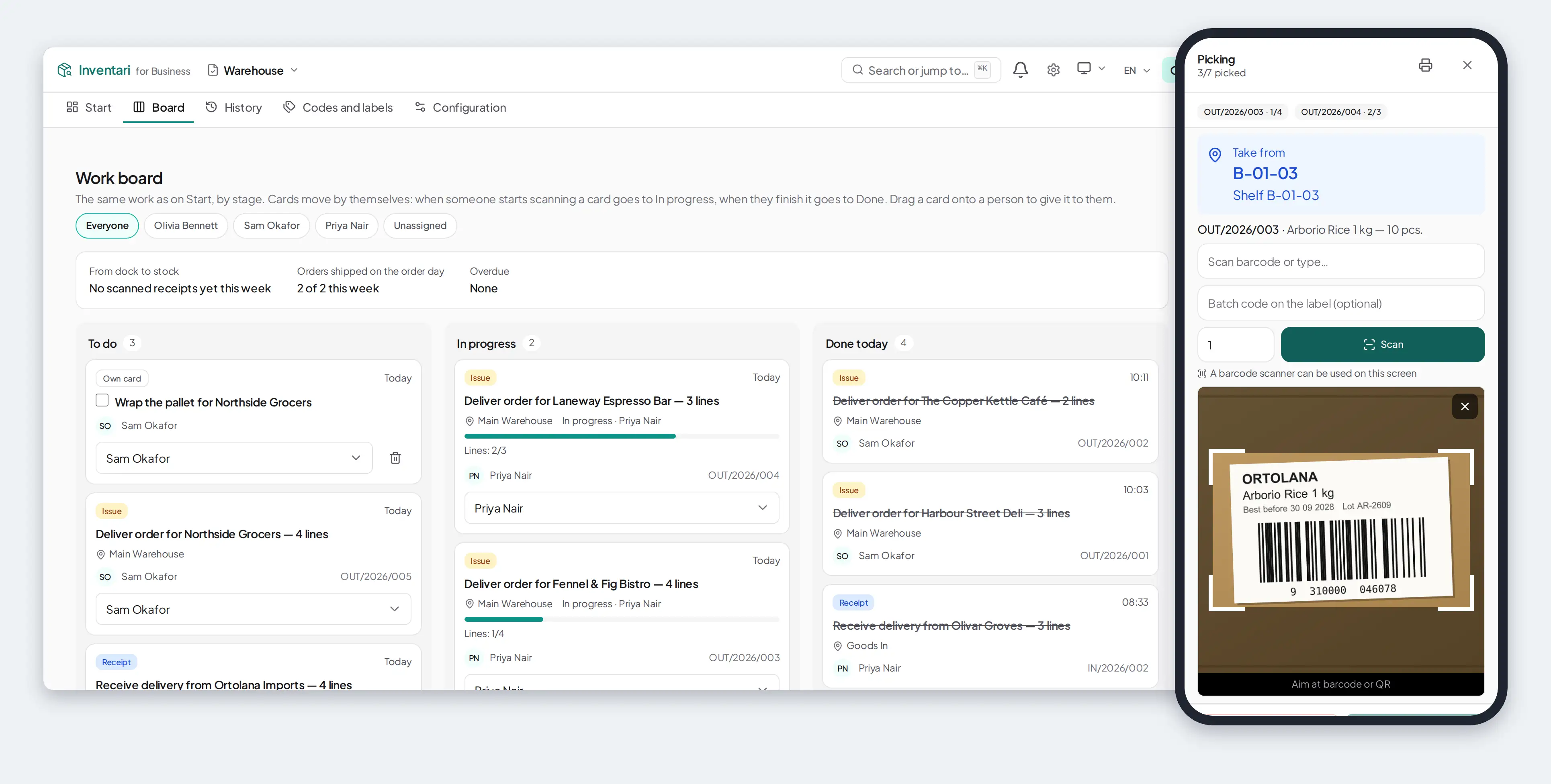
Receive, pick, pack and ship with the phone's camera, on numbered documents. Today's work waits on one board.
- Several orders picked in one walk
- Packing slips, carrier and tracking number
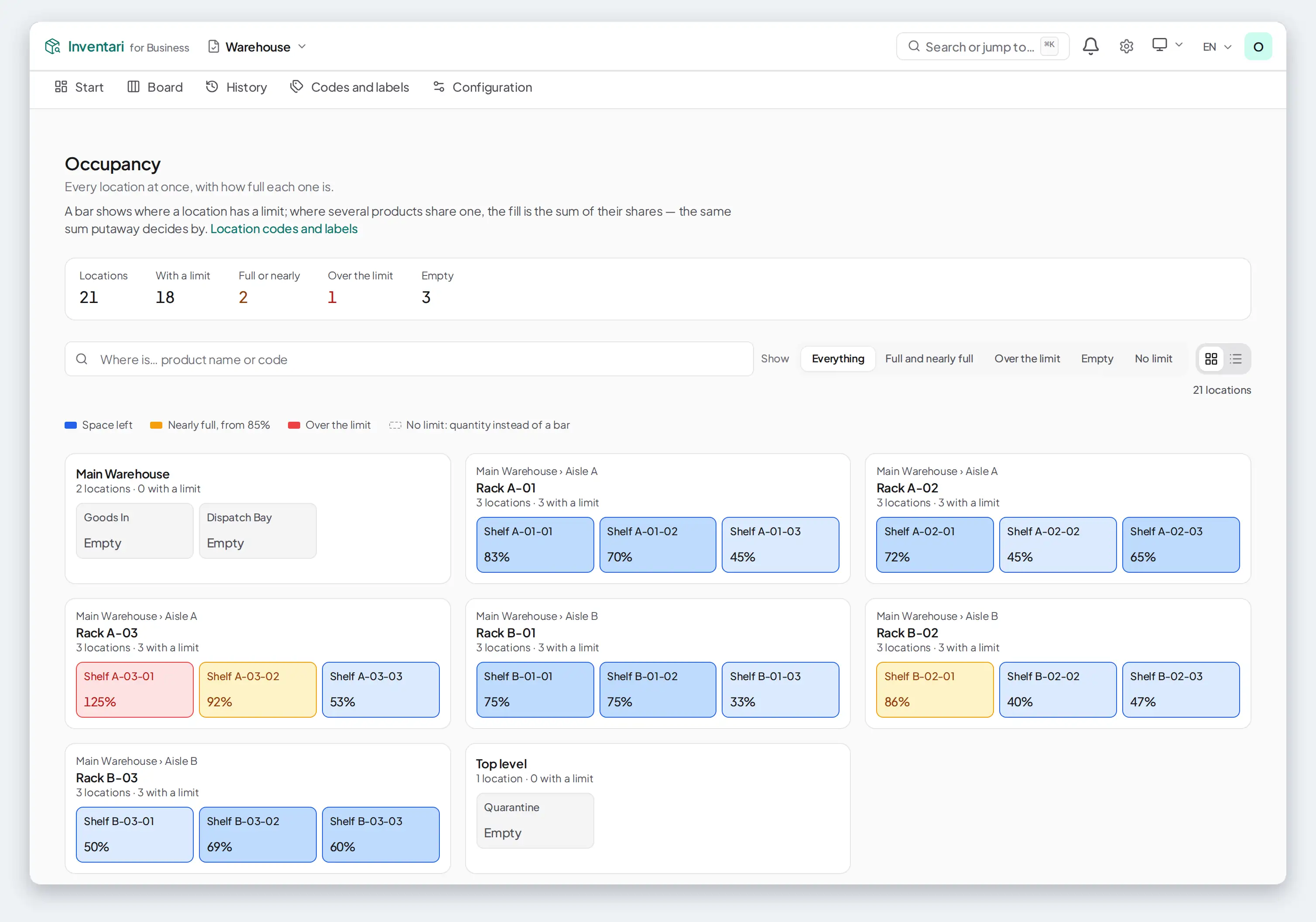
- Putaway rules and how full each shelf is
For small production
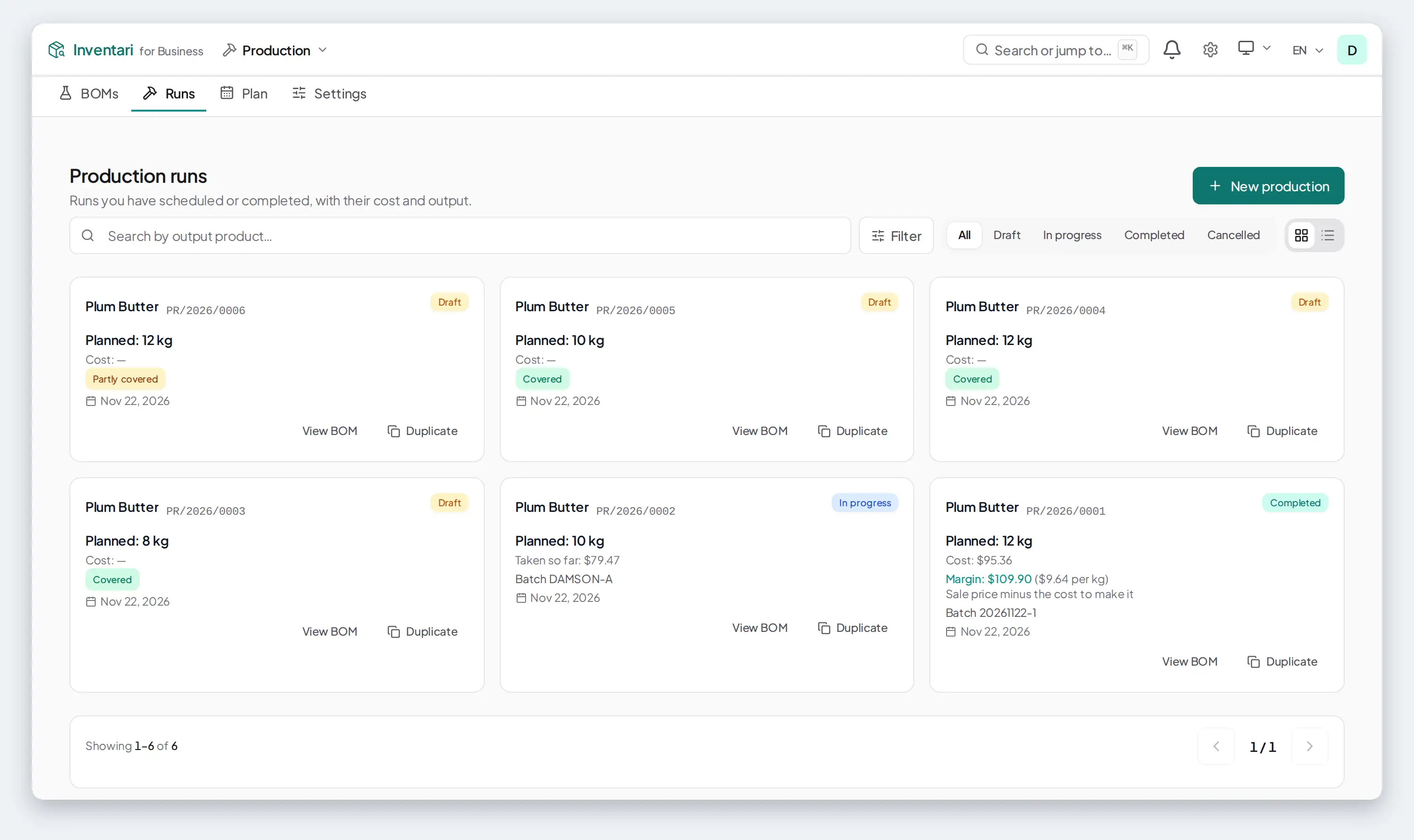
Recipes and bills of materials, runs planned by day, and the real cost of every batch.
- Bills of materials with steps and labour
- Batches with best-before dates and labels
- Batch cost from the purchase prices of the ingredients
Also in the box: equipment with who holds it and its servicing, purchase orders, approvals and partners.
Everything has a place, and every move is written down
Under every profile works the same core: things, places and the moves between them, each signed by the person who made it.
Places the way you have them
Warehouse, room, shelf, box: as many levels as you need.
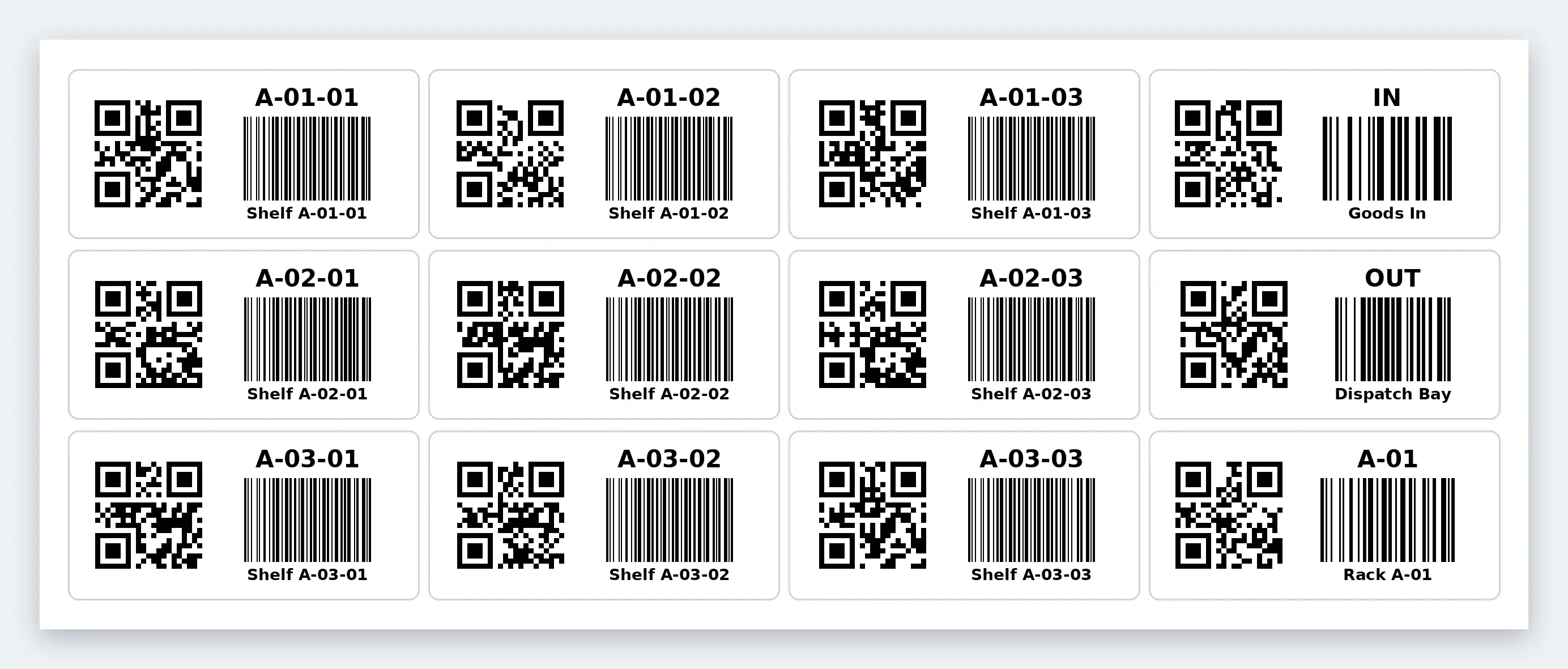
Labels with QR codes
Print labels for shelves, boxes and products on any printer. Point a phone at one and it opens what is there.
The phone is the scanner
It reads barcodes and QR codes through the browser's camera. There is nothing to install.
Batches and dates
Batches with best-before dates. When stock goes out, you can take the shortest-dated first.
Counts and a journal
Count a shelf and see what differs. Every movement is in the journal: what, how much, from where, to where and who.
Everyone in their own language
Each person picks the language for their own account: English, Polish, German, French, Spanish or Brazilian Portuguese.
For developers
One core, and modules on it
Every profile runs on the same core of things, places and moves, and that core is Inventari's strength. The kitchen, the warehouse, equipment and production are modules on top of it, and the list grows. If your work needs a process of its own, write a module for it, by hand or with an AI coding agent. Inventari checks the package before it installs it, and a module built on the public extension points is yours to license as you like.
You pay for the server, not the software
It is light software: a VPS for a few euros a month with a domain name of your own is enough. Installing it with Docker Compose takes six steps, and HTTPS and backups work from the start. Your data stays with you; a photo leaves only if you switch on an AI provider to read labels.
- A small server is enough: 4 GB of memory is the smallest setup the guide describes
- In our test on a 4-core VPS with 8 GB, about 7 EUR a month: 100,000 products, a scan answered in 20–80 ms
- Automatic HTTPS and scheduled database backups
- A REST API with OpenAPI docs, API keys and webhooks
- Several organizations on one installation, with roles
- The whole application under AGPL-3.0
How it compares
Where another tool fits you better, we say so. Every statement about another product is checked against its own pages, with the date we read them.
Inventari and Sortly
A hosted app with plans by number of items.
Inventari and HomeBox
A lighter self-hosted home inventory.
Inventari and InvenTree
Self-hosted parts and stock, with native phone apps.
Inventari and Odoo Inventory
A full ERP, with the inventory app one of many.
Inventari and Grocy
A household and kitchen manager from one maintainer, MIT-licensed.
Inventari and Snipe-IT
Self-hosted IT asset management, with a hosted plan from its maker.