Inventari for home and pantry
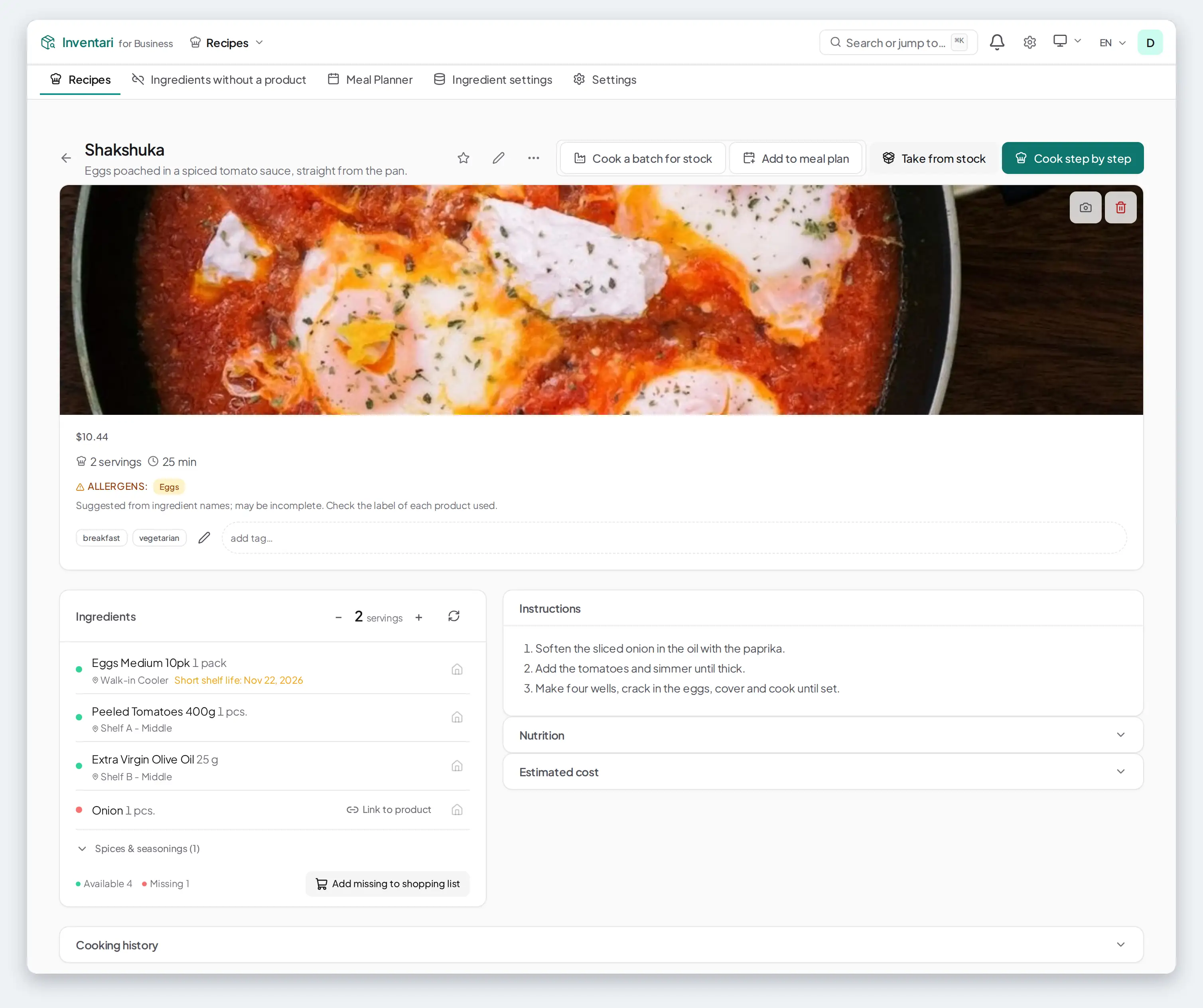
Open a recipe and see which ingredients are already in the house, and on which shelf. What is missing goes onto the shopping list with one tap. Underneath, the pantry, the freezer, the garage and the cellar are in order: you know what you have, where it is and how long it keeps.
In the demo: Press Try the demo on its first screen. The Recipes list opens. Open Penne with Red Pesto: three of its four ingredients are in the house, each with the shelf it is on, and Add missing to shopping list puts the Parmesan on the Weekly shop list.
Six steps to install, on a VPS of your own.
How it helps at home
Places that match the house
Home › Garage › Shelf A: as many levels as your house has. A product can sit in any of them.
Best-before dates
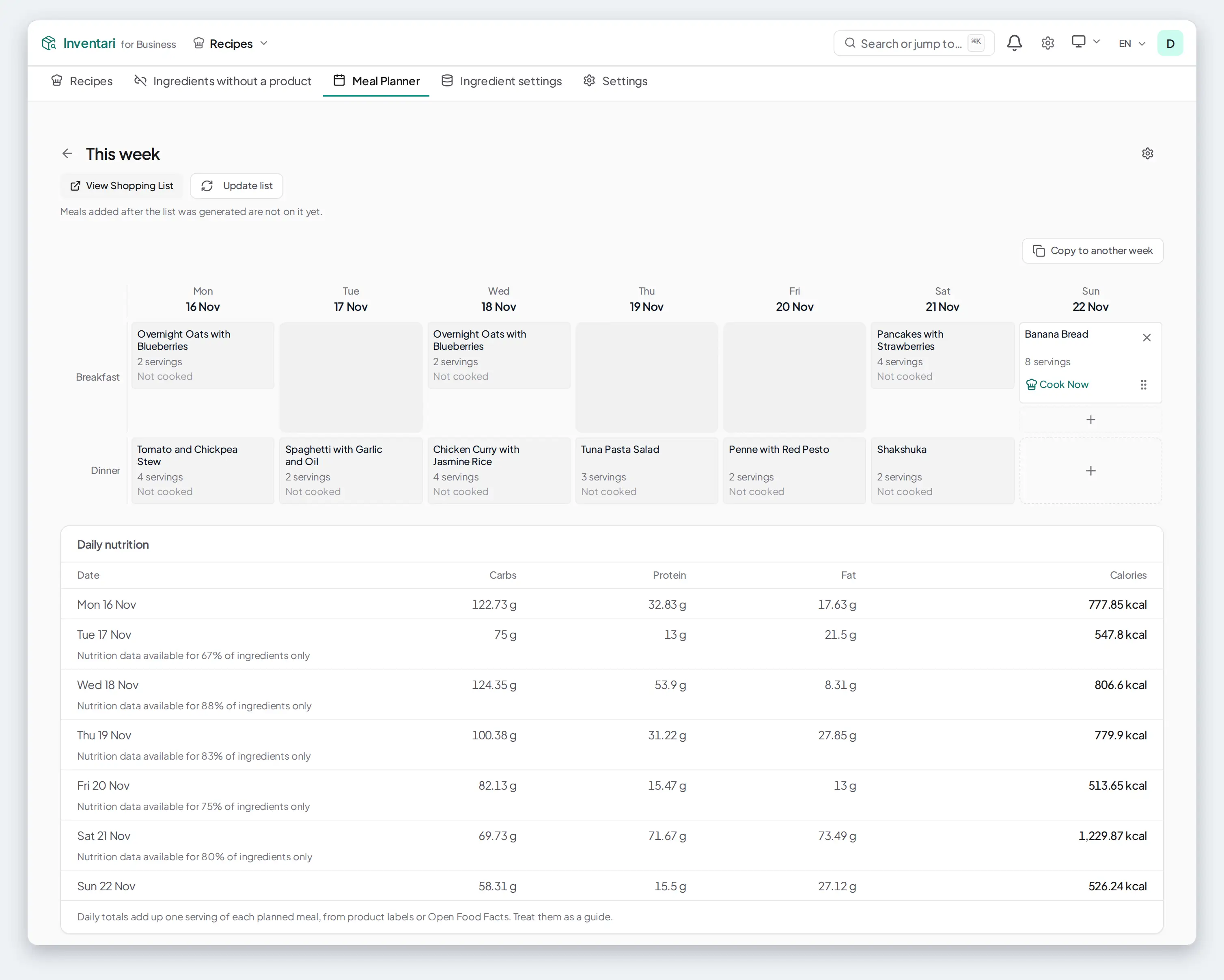
Note best-before dates, and Inventari shows what expires soon. The meal planner suggests recipes that use it up.
Recipes and a meal plan
Recipes that know what is on the shelf and where, a weekly meal plan and shopping lists. With AI switched on, a recipe comes in from a website's address.
Scan instead of typing
Scan a barcode with the phone. With the Open Food Facts product database, an optional download, the name, brand and nutrition fill themselves in. With AI switched on, a photo of the label is enough too.
Labels for boxes and shelves
Print QR codes for products and places on a sheet or a label printer. At home a shelf's code is drawn at random, so nothing has to be numbered by hand.
Your data stays yours
It runs on your own server. No telemetry and no outside calls, unless you switch on an AI provider.
Screens
Start on a small server
Try the demo first, then install Inventari on a small server of your own with a domain name: it takes six steps, and a server with 4 GB of memory is enough. The user guide has a chapter on the kitchen and one on labels.
The kitchen in the user guideLabelsThe Open Food Facts databaseQuick deployInventari and HomeBox