Inventari
EN

Gallery

Screens of the running application at twice the usual pixel density, from the same two places as the README's:

  • The warehouse — Larkspur Trading Co., a fine-food wholesaler in Melbourne, set up through the onboarding wizard and its Saturday morning entered through the application's own API. The application stamps each entry with the moment it was made; the morning was entered in one sitting, so the stamps were afterwards moved, in order, onto the hours between 07:44 and 10:35. Nothing else was changed outside the application.
  • Equipment, the kitchen, production and stock takes — the demo seed, rebuilt with make demo-reset (see DEMO.md) and shown as the public demo shows it to every visitor, signed in as its administrator, with nothing edited.

The README shows the warehouse at work — the Start screen with its to-do list, picking, a shipped delivery, occupancy, labels, statistics and the phone — and one screen each of equipment, a recipe and a production run; this page shows the rest, module by module.

These screens belong to applications built as Inventari modules. Kitchen, equipment and production show different workflows using the shared core. The warehouse shows the depth a module can reach, from receiving goods to picking, packing and shipping them.

Build your own application on Inventari.

Getting started
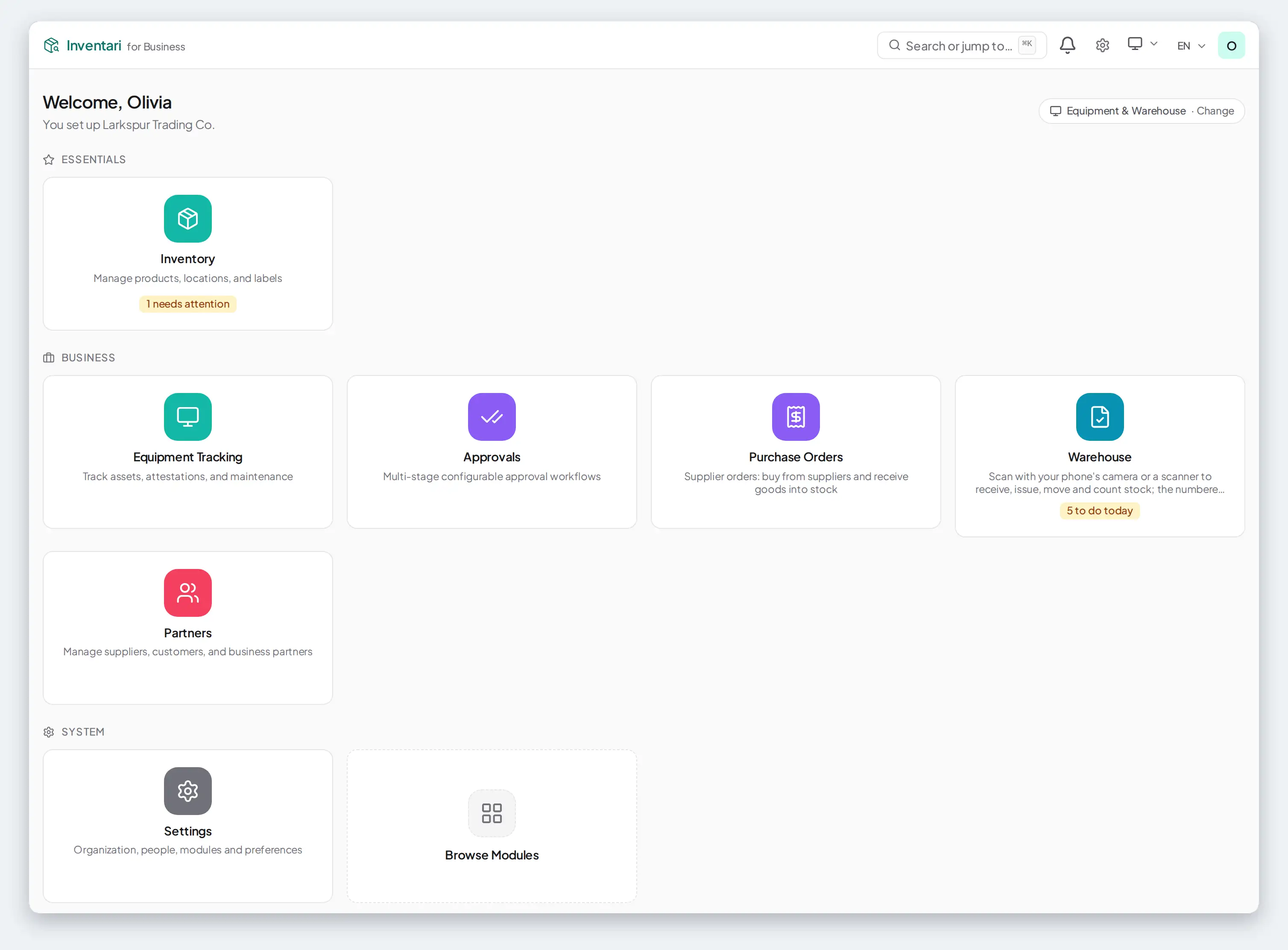
The launcher: "Welcome, Olivia", the profile Equipment & Warehouse, and the wholesaler's modules grouped into essentials — inventory with one thing needing attention — and business: equipment tracking, approvals, purchase orders, the warehouse with five things to do today and partners, above settings and the module store

The launcher — where signing in opens, unless the organization has narrowed itself to a single module or you were sent to the sign-in page from another address: the modules this organization has switched on, and what is waiting in each.

Warehouse

The Warehouse module owns the documents, sessions and packages shown here. It uses Core for shared inventory operations and exposes public extension points for a module with rules of its own, such as Lot certificates.
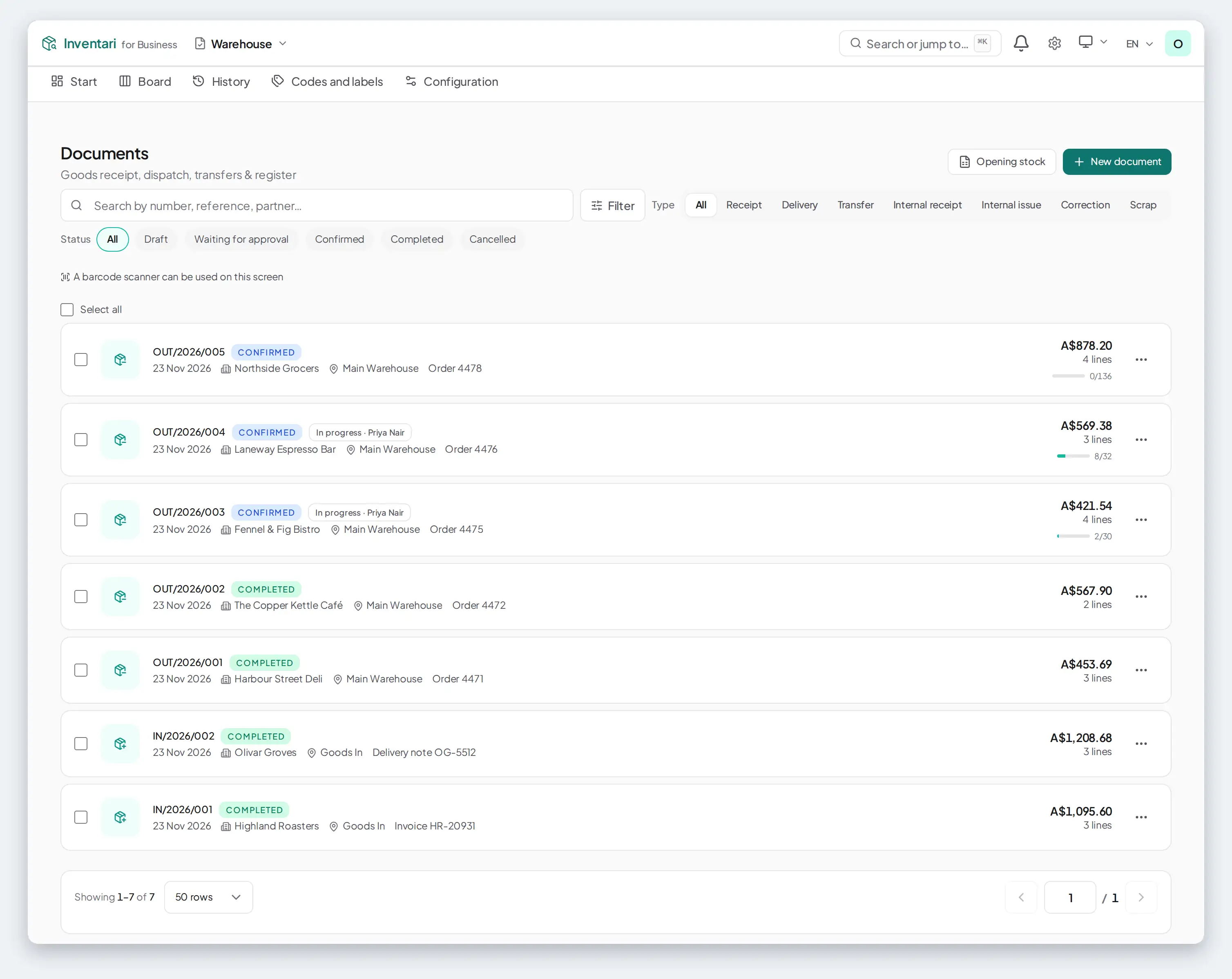
The documents list: two receipts from Highland Roasters and Olivar Groves and five deliveries to cafés, delis and grocers, each with its number, status, date, partner, location, the customer's order or the supplier's delivery note, its value and its lines; the two orders Priya Nair is picking show her name and their progress

Documents — every receipt and delivery as a numbered document, with where each one stands.
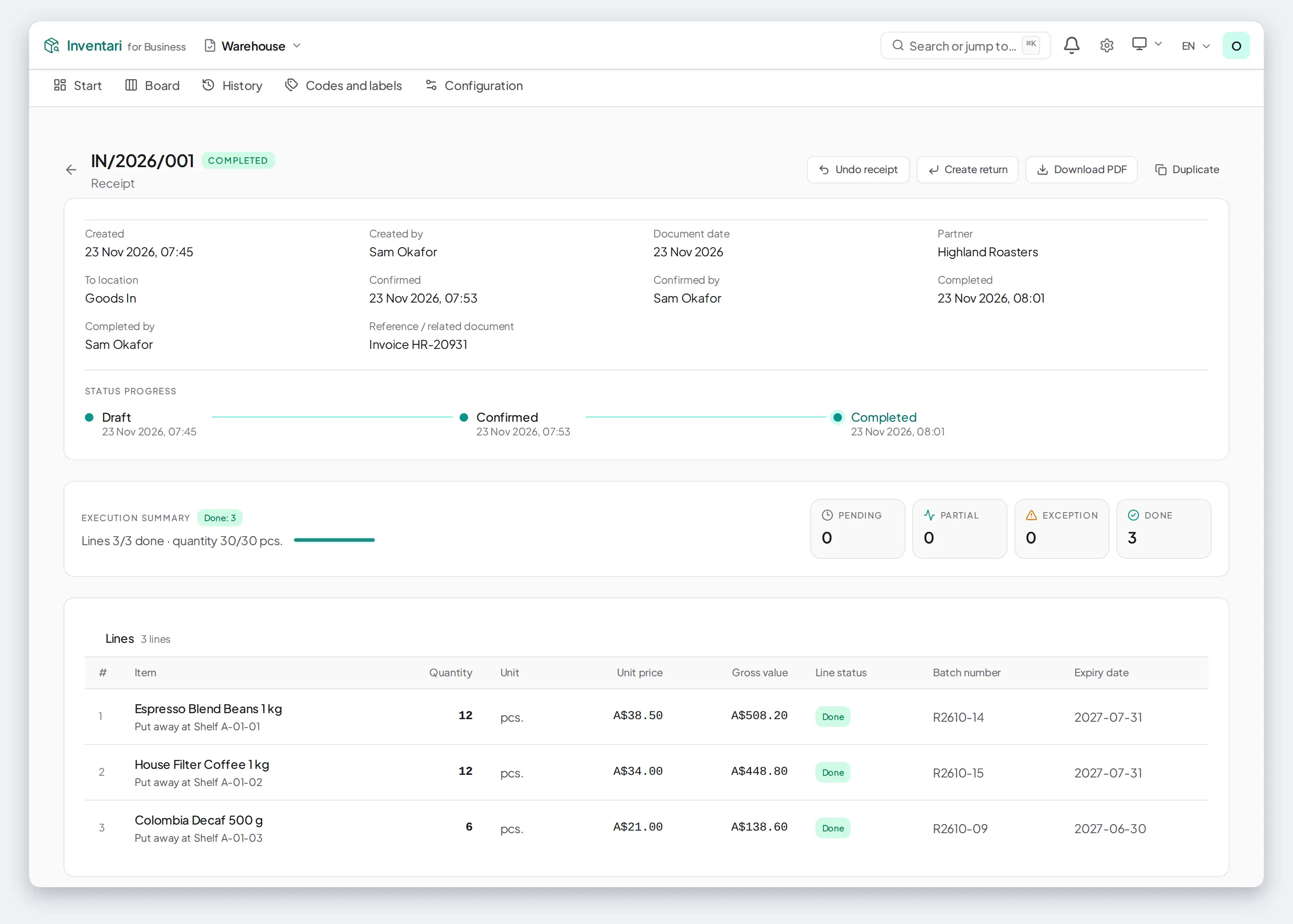
Goods receipt IN/2026/001 from Highland Roasters into Goods In, completed: created at 07:45 and completed at 08:01 by Sam Okafor against invoice HR-20931; its three coffees, each with its quantity, price, batch and best-before date and the shelf it was put away on

A receipt — who received what, into which batch and onto which shelf.
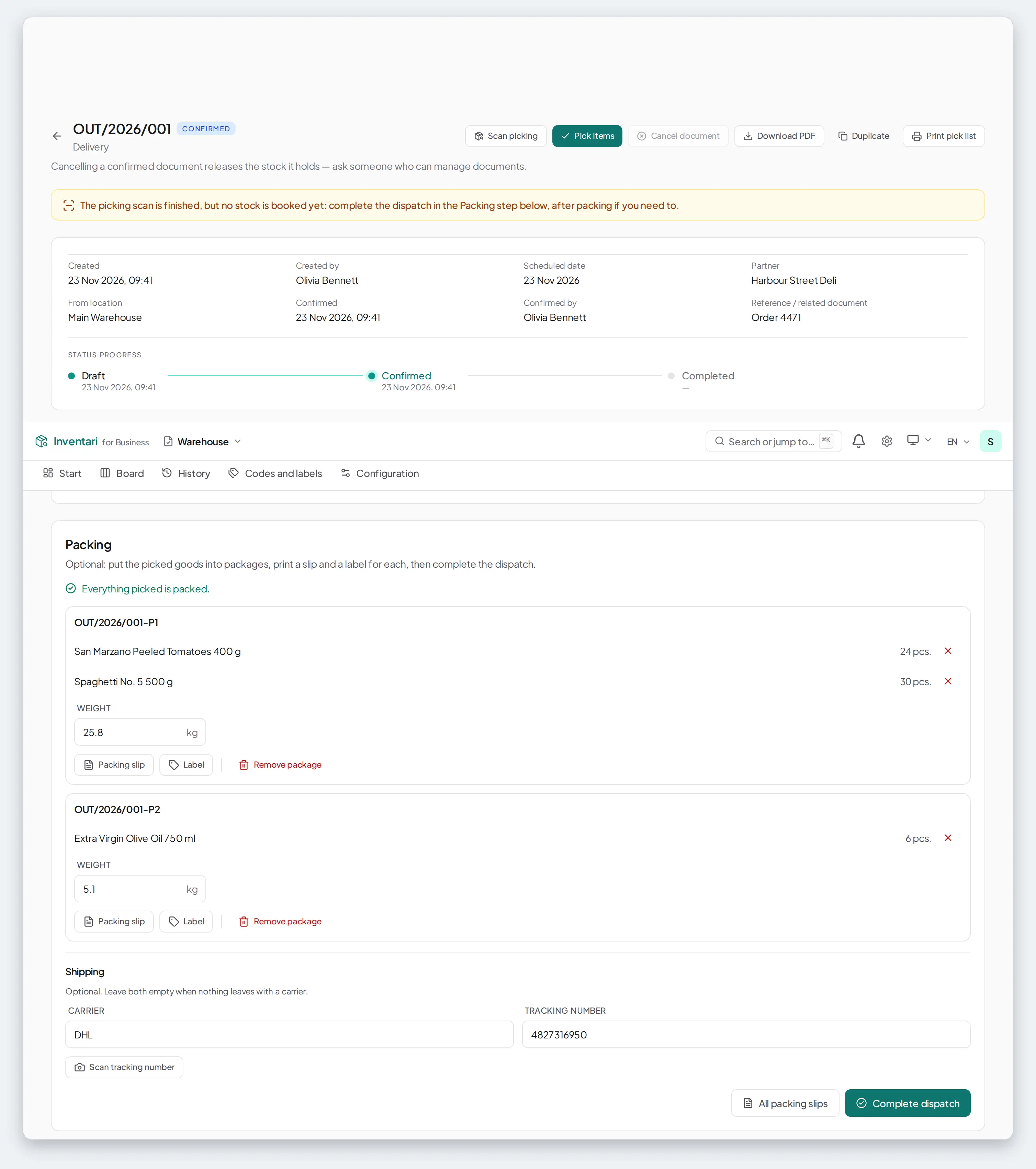
The Packing step of delivery OUT/2026/001 to Harbour Street Deli: everything picked is packed — the tomatoes and the spaghetti in package P1 weighing 25.8 kg, the olive oil in P2 weighing 5.1 kg — each with its packing slip and label, and below them the Shipping fields filled in with DHL and a tracking number above Complete dispatch

Packing — the picked goods go into numbered packages, each with a slip and a label carrying its code; the carrier and tracking number ride the completion. The README shows the picking session before it and the same delivery shipped after it, and the user guide walks the whole path.

Inventory
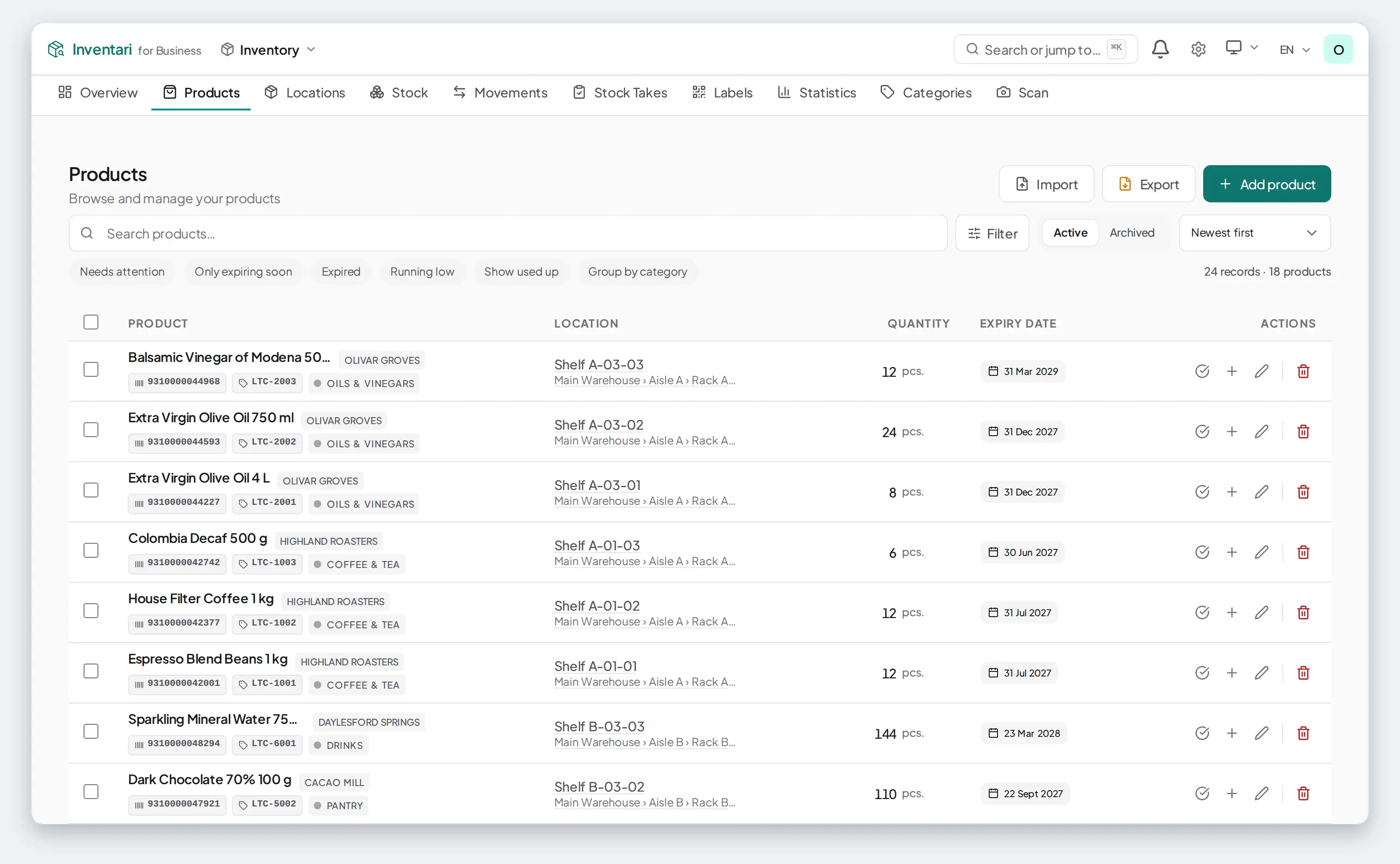
The product list of the wholesaler: balsamic vinegar, olive oils, coffees, mineral water and chocolate, each with its brand, barcode, code and category, the shelf it is on, its quantity and its best-before date

Products — what is in stock, where and until when.

Purchase orders
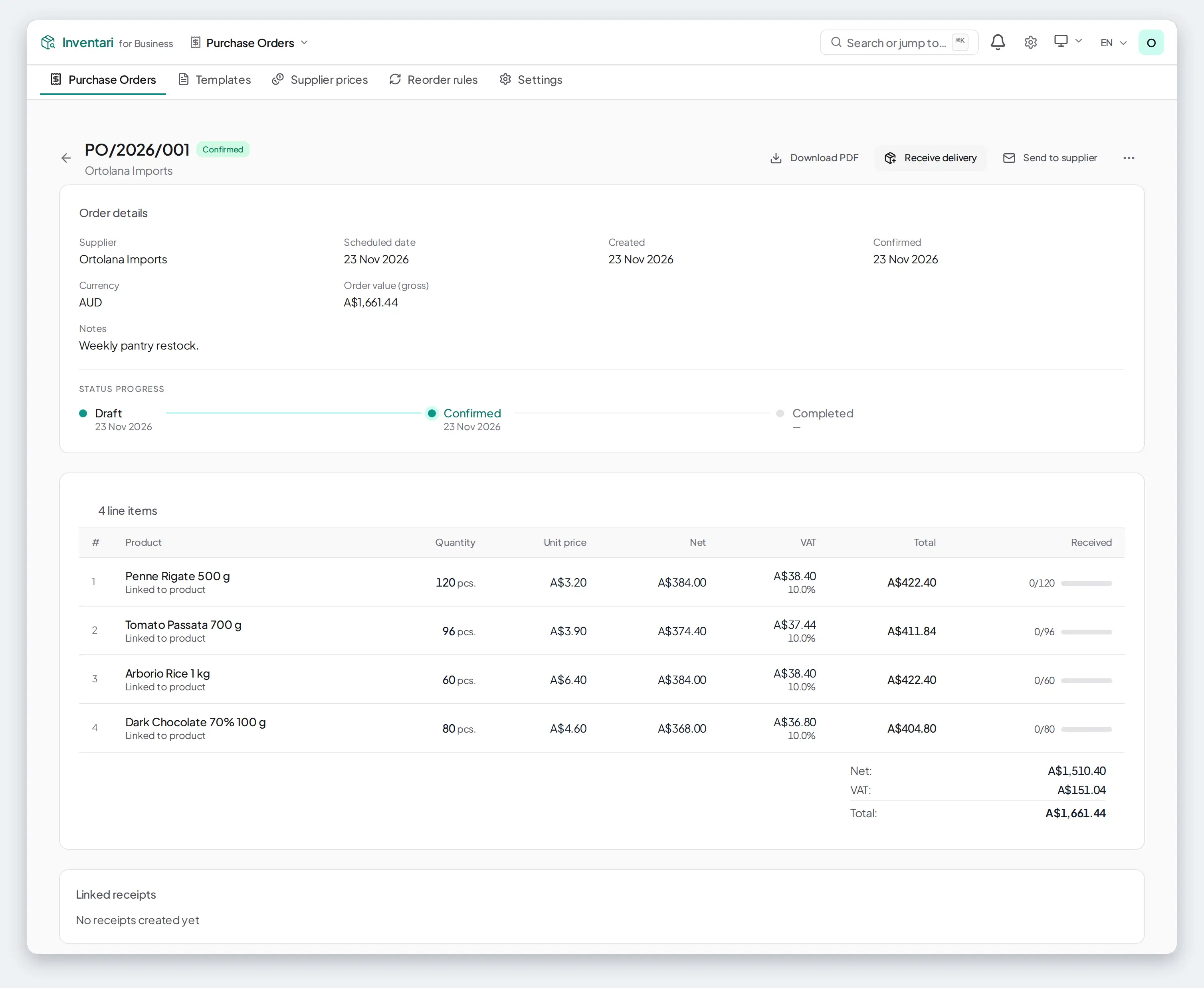
Purchase order PO/2026/001 to Ortolana Imports, confirmed: the order details and its notes, the status so far, and four lines of pasta, passata, rice and chocolate with their net, 10% tax and total in Australian dollars, none received yet

A purchase order — the order line by line, and how much of it has arrived.

Equipment
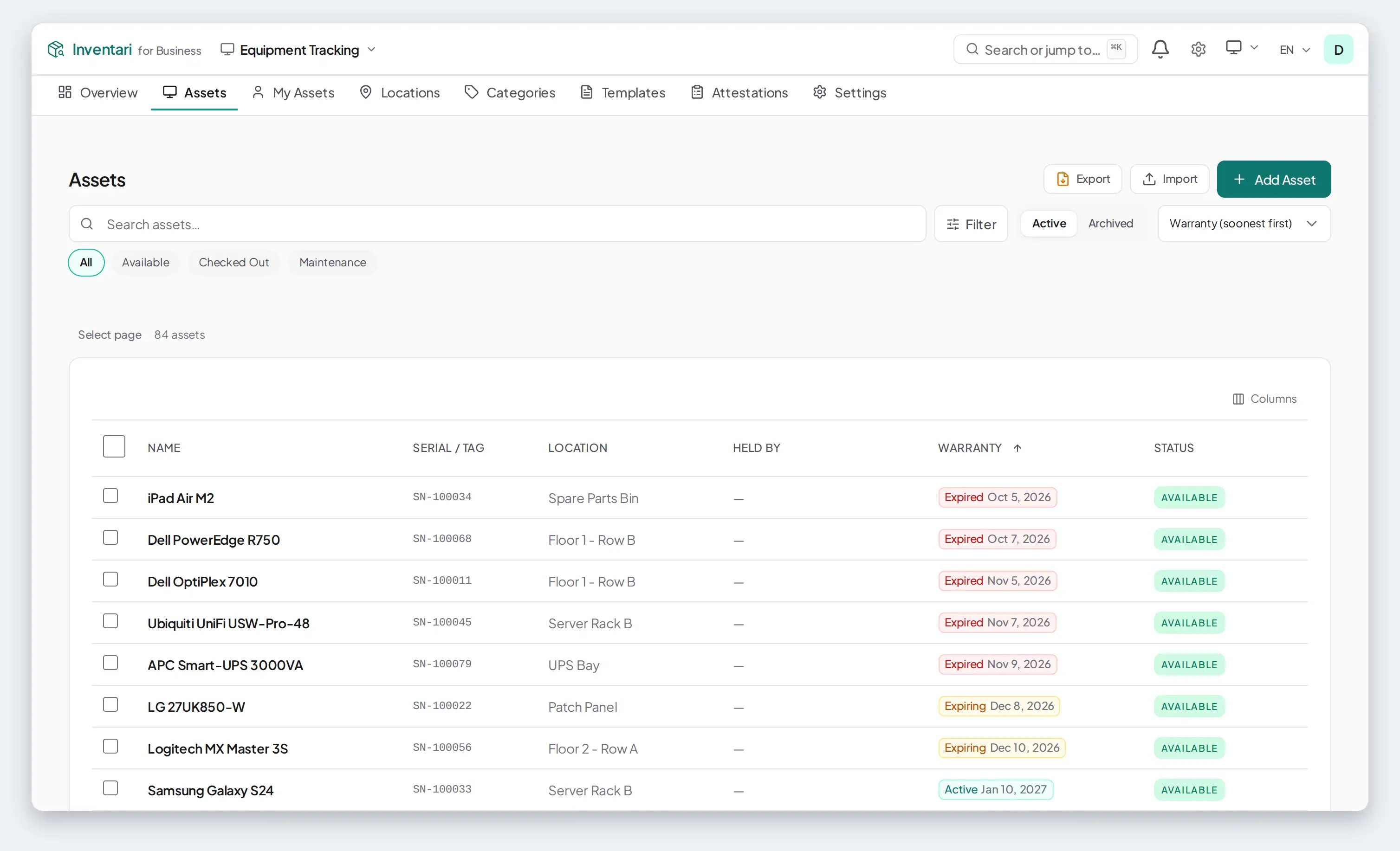
The asset register sorted by warranty, soonest first: 84 assets, each with its serial number, location, who holds it, its warranty — expired, expiring or active, with the date — and its status

Assets — serials, locations, warranties and who signed for what.
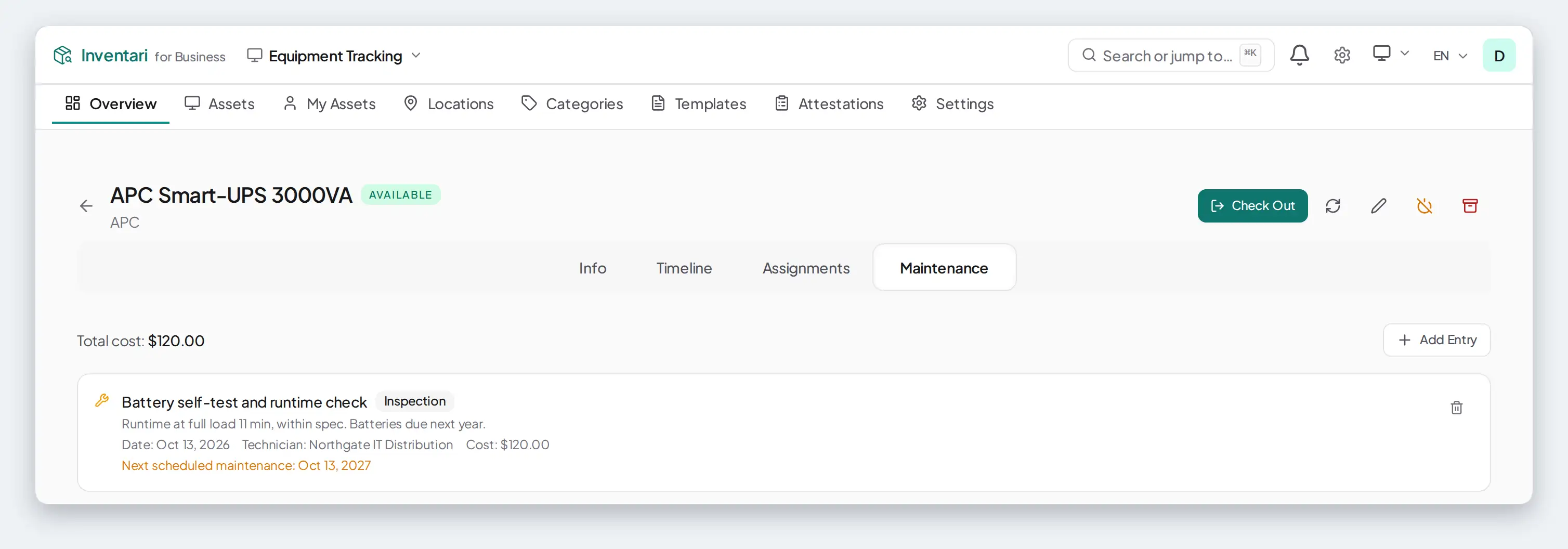
The maintenance log of a UPS: a battery self-test and runtime check by Northgate IT Distribution, its cost of $120.00 and the next inspection due a year later

Maintenance — every inspection and repair, its cost and the date of the next one.
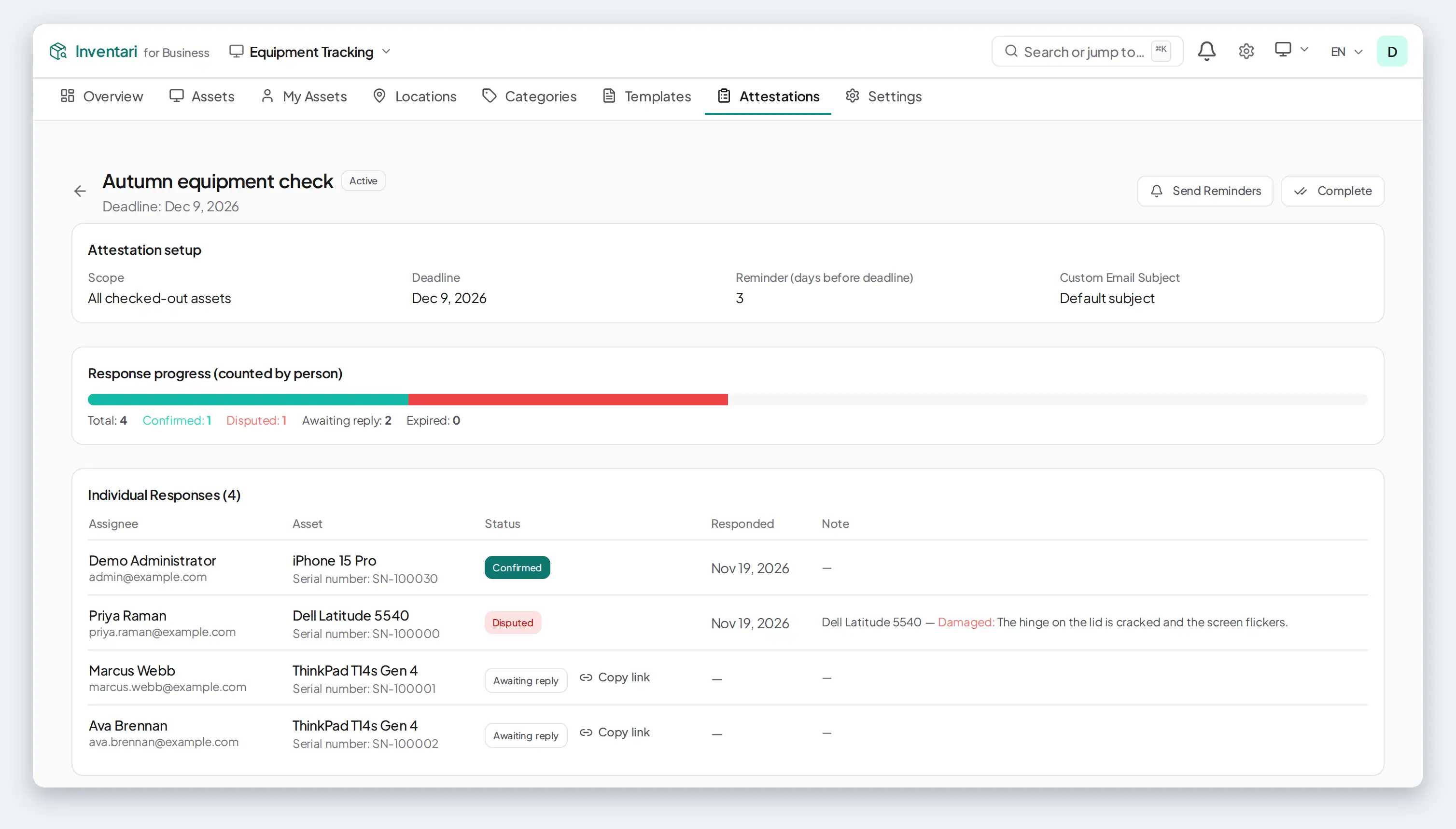
An attestation campaign, "Autumn equipment check": four people asked to confirm the equipment they hold — one confirmed, one disputed with the note "The hinge on the lid is cracked and the screen flickers", two still to answer

Attestation — ask everyone who holds equipment to confirm they still have it, and hear back about what is broken.

Kitchen
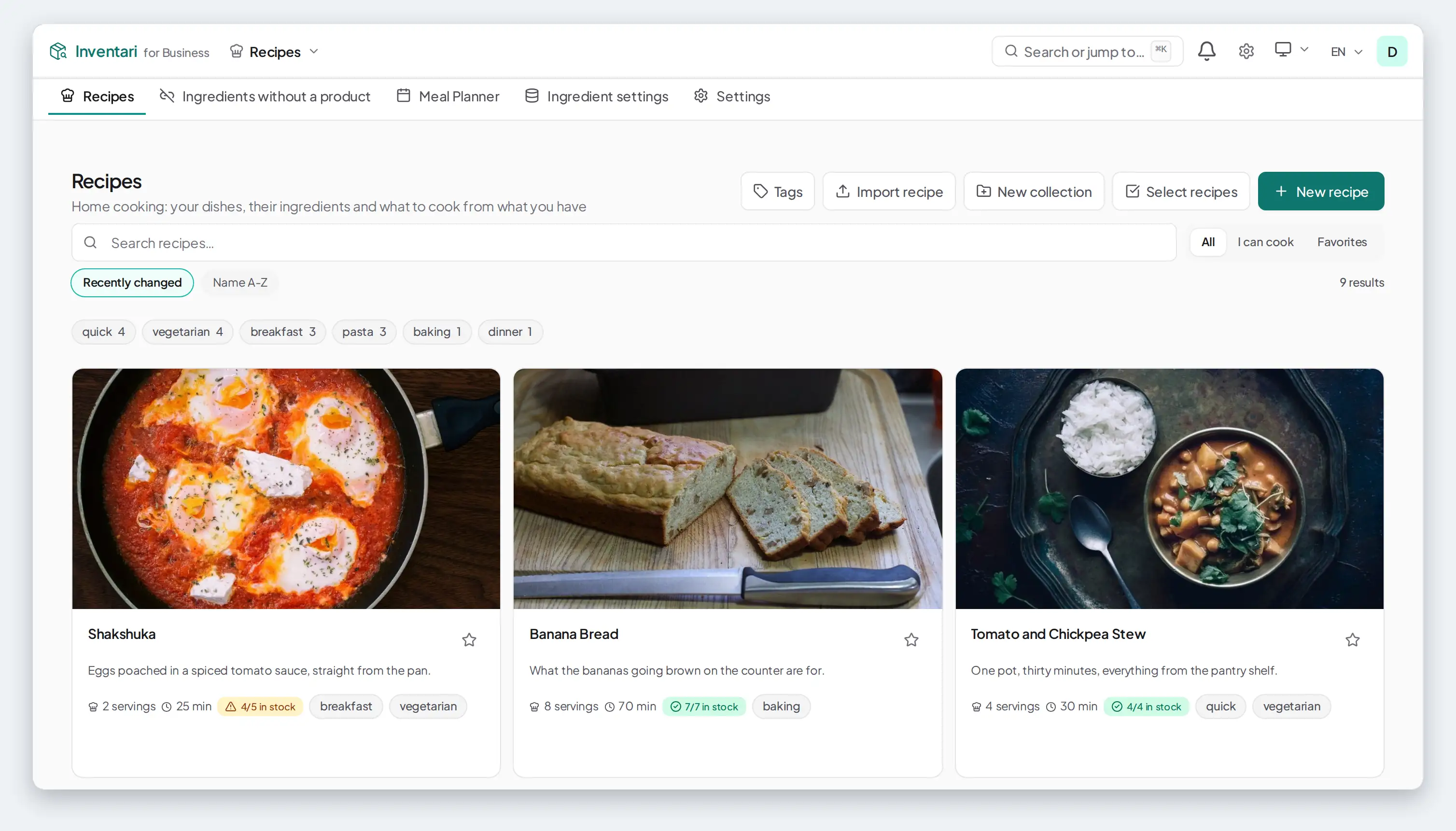
The recipe list, nine recipes: the first three with their photographs, servings, cooking time and how many of their ingredients are on the shelf

Recipes — "I can cook" means every ingredient is on the shelf; the near misses say what they are short of.
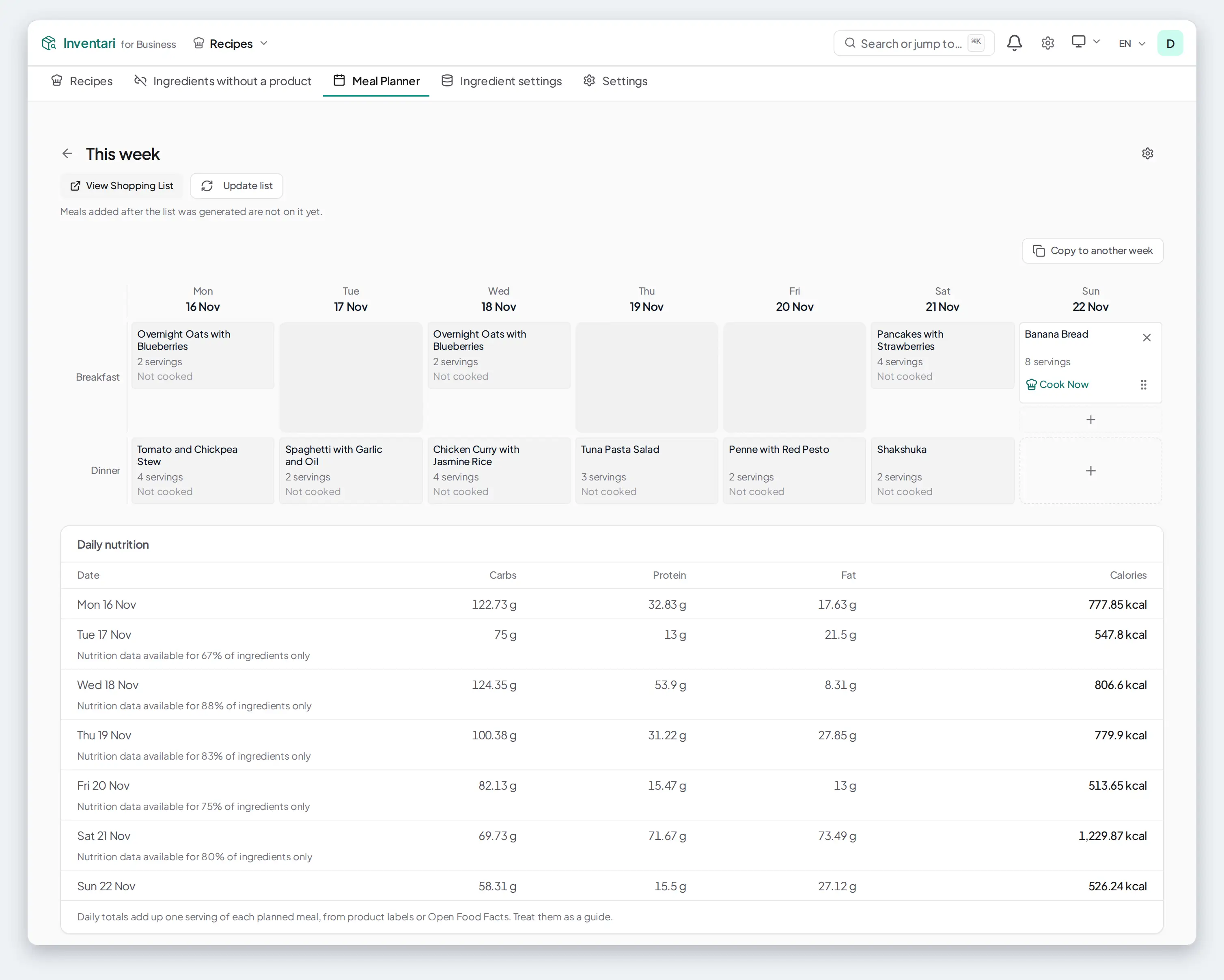
This week's meal plan: breakfast and dinner over seven days, the meal still to cook marked Cook Now, and under the week each day's carbohydrates, protein, fat and calories for one serving of each planned meal

Meal planner — a week of meals cooked from stock, with what each day adds up to.

Production
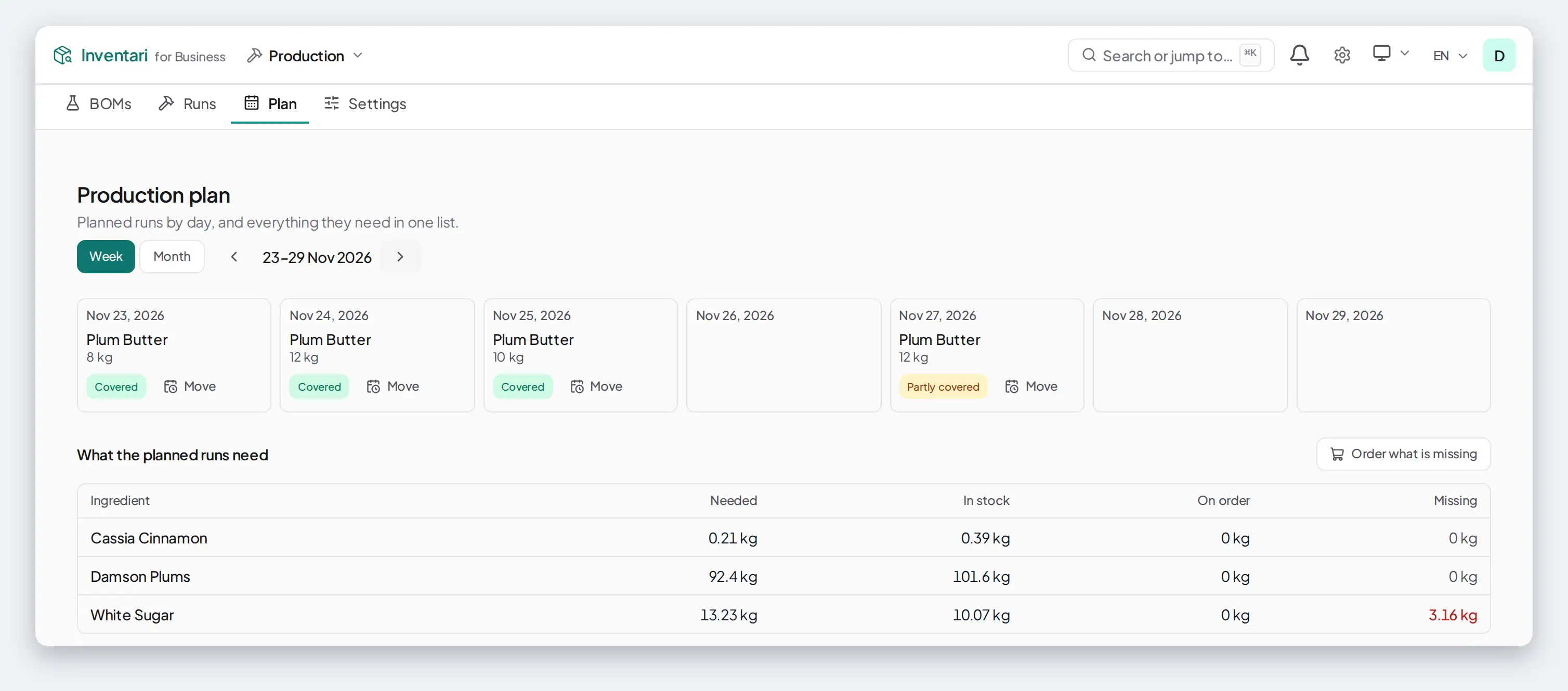
The production plan for 23–29 November: three runs of plum butter, 8, 12 and 10 kg, planned for the 23rd, 24th and 25th and marked Covered, and a run of 12 kg on the 27th marked Partly covered, above the list of what the planned runs need — 13.23 kg of sugar against 10.07 kg in stock, 3.16 kg missing — with the Order what is missing button

Production plan — the planned runs by day, each saying whether the shelf and the runs before it cover it, and everything they need in one list, with a button that orders what is missing.
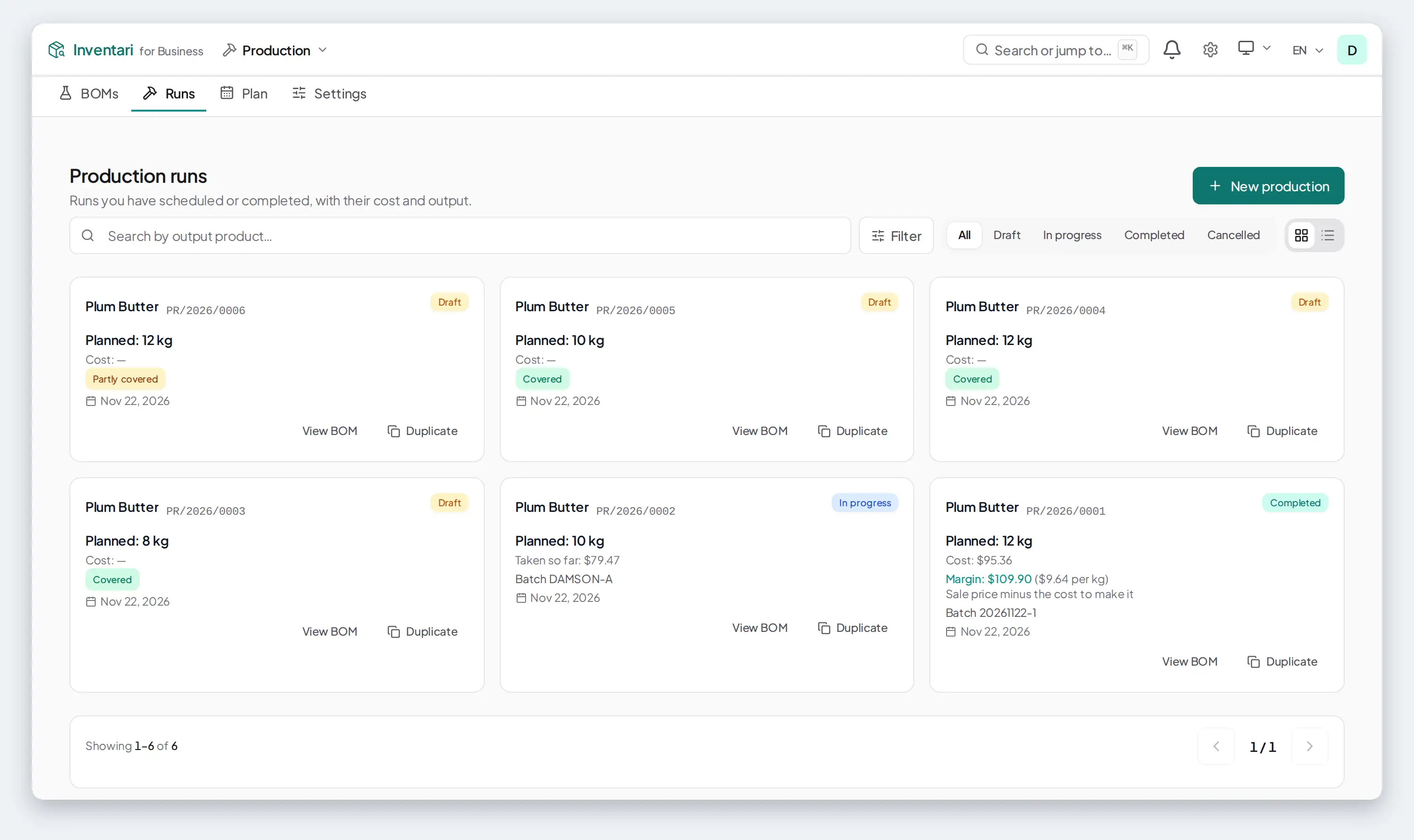
The list of production runs as cards: four planned runs of plum butter, three covered and one partly covered, one run in progress with $79.47 taken so far in the batch DAMSON-A, and one completed run of 12 kg with its cost of $95.36 and a margin of $109.90

Production runs — what is planned, what is under way, what was made, what it cost and what it was worth.
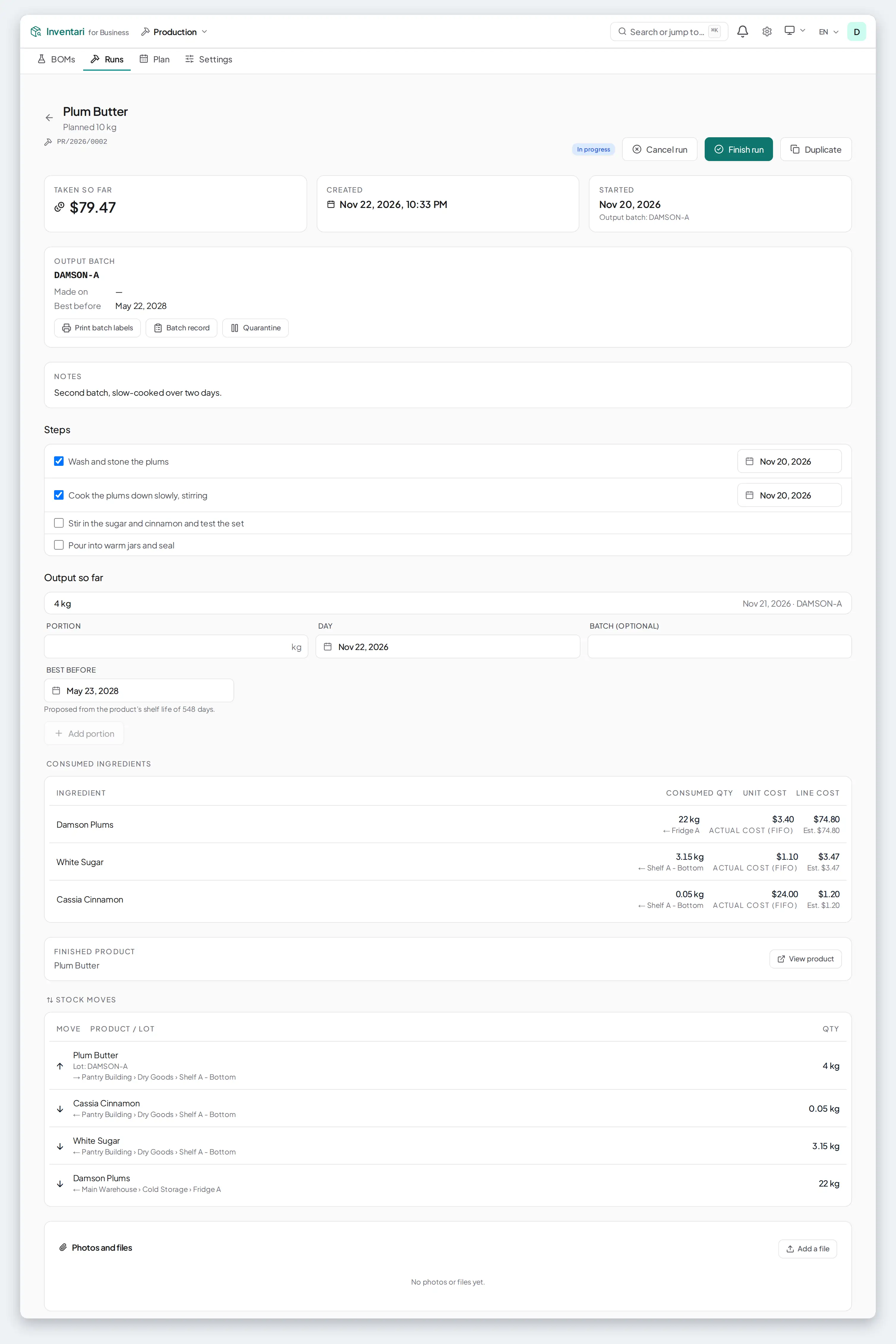
A production run in progress: 10 kg of plum butter started on 20 November with $79.47 taken so far, two of its four steps ticked with the day each was done, the first 4 kg already on a shelf in the batch DAMSON-A, and the damson plums, sugar and cinnamon it took at their FIFO cost

A run in progress — the ingredients are off the shelves, the steps are ticked with their days and the output comes in portions, each in a batch of its own.
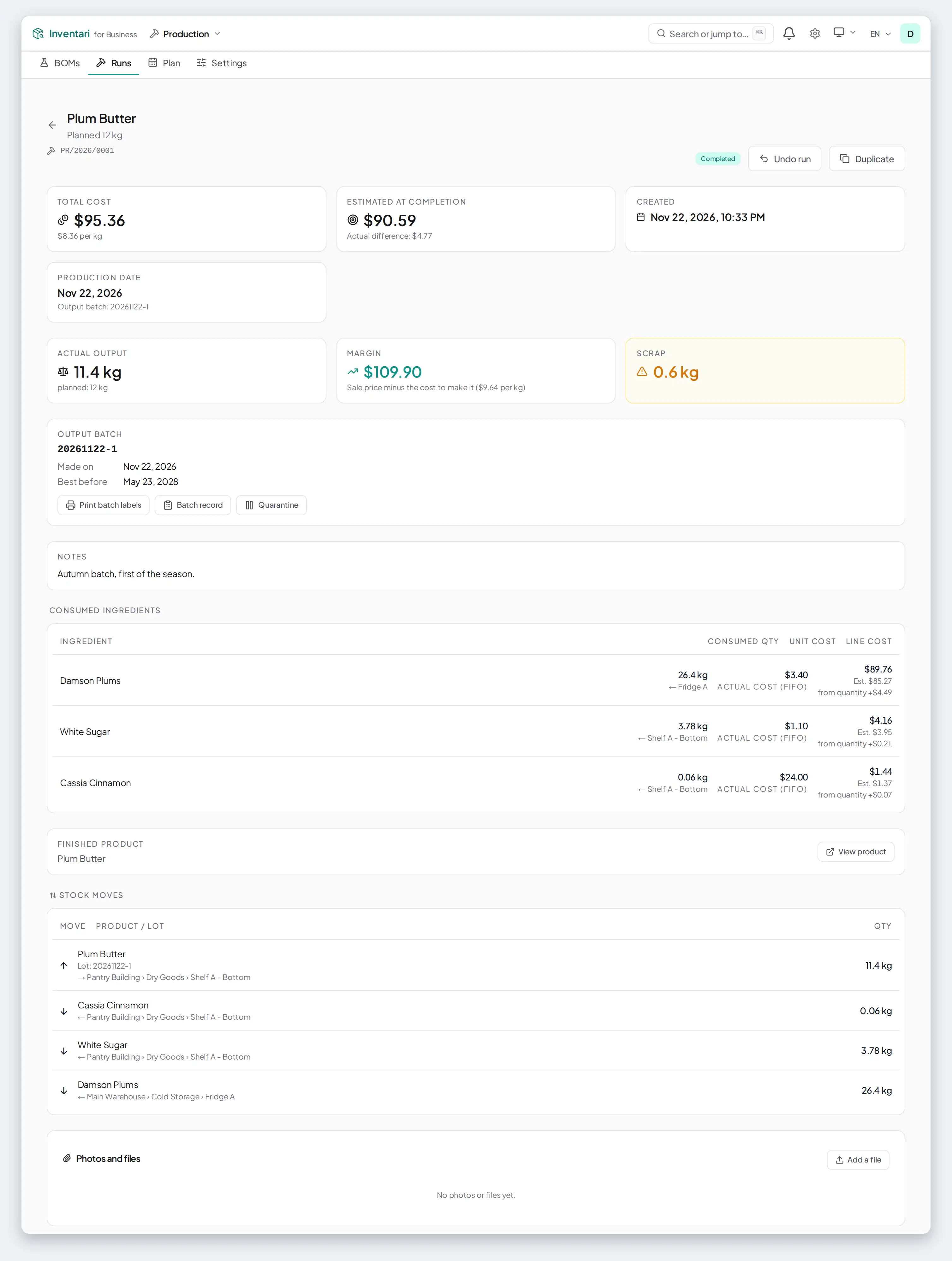
A finished production run: 11.4 kg of plum butter made from a 12 kg plan, a total cost of $95.36 and a margin of $109.90, and the output batch 20261122-1 with the day it was made, its best-before date and the buttons Print batch labels, Batch record and Quarantine

A finished run — its batch, with the labels, the batch record and a hold one click away.
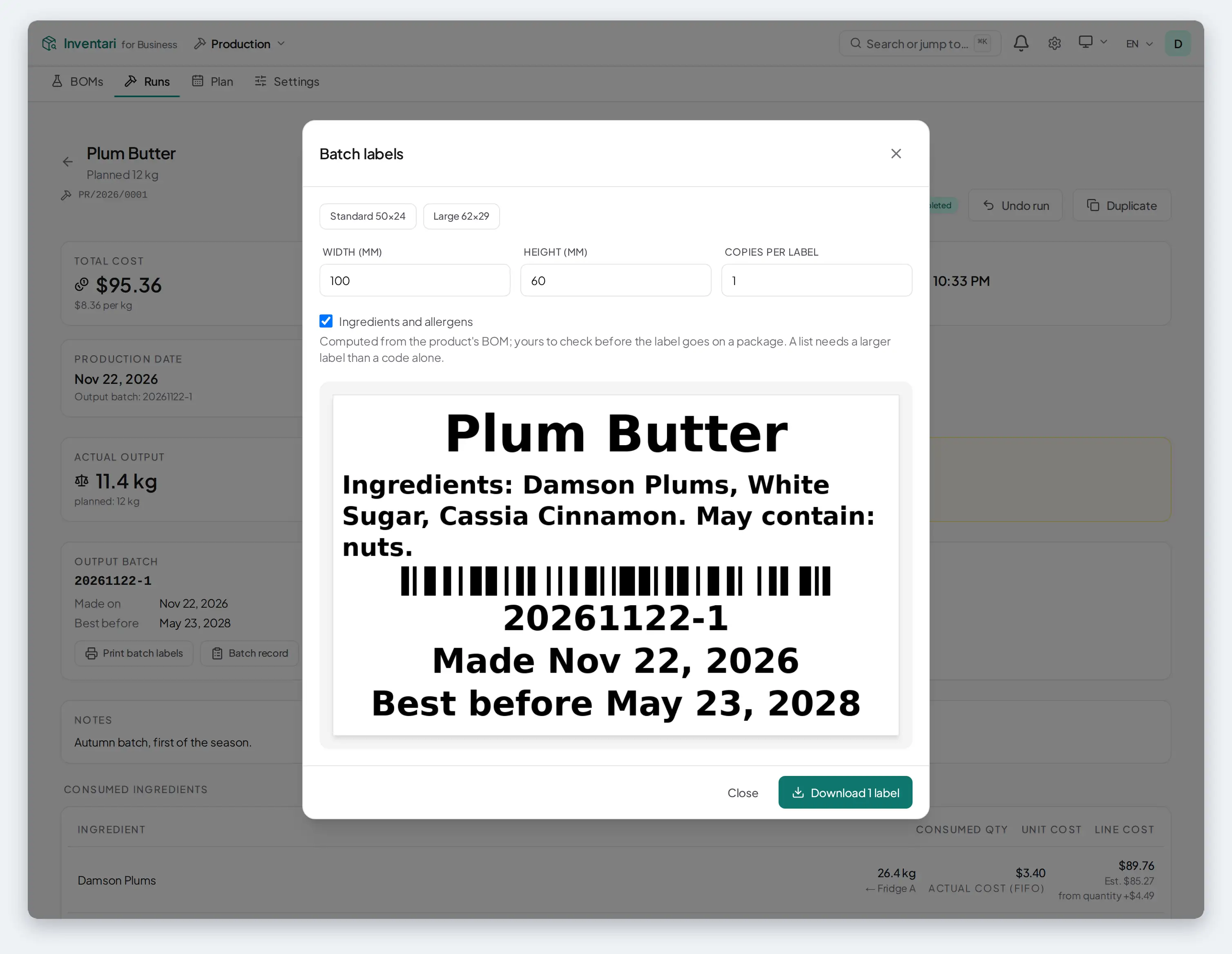
The Batch labels dialog of the plum butter batch with Ingredients and allergens ticked: the ingredient list and may contain nuts under the name, the batch code in bars, the day it was made and the best-before date

Batch labels — one label per unit made, with the ingredient list and the allergens when the label is large enough for them.
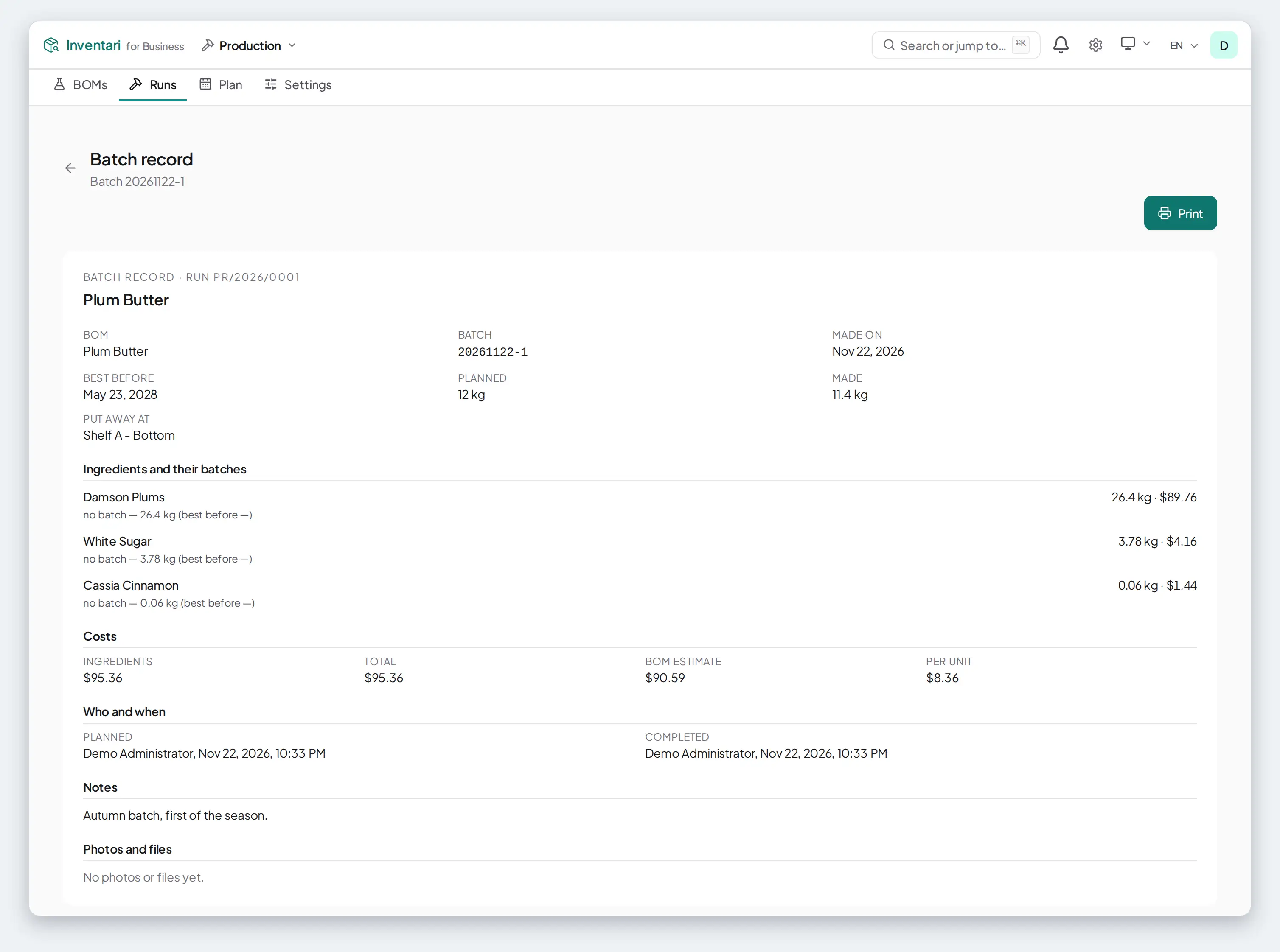
The batch record of the plum butter run PR/2026/0001: the batch, the day it was made, planned and made quantity, each ingredient with the quantity taken and its cost, the costs, who planned and who closed the run and the notes

Batch record — one page for the batch, to print on A4 or read on a phone.
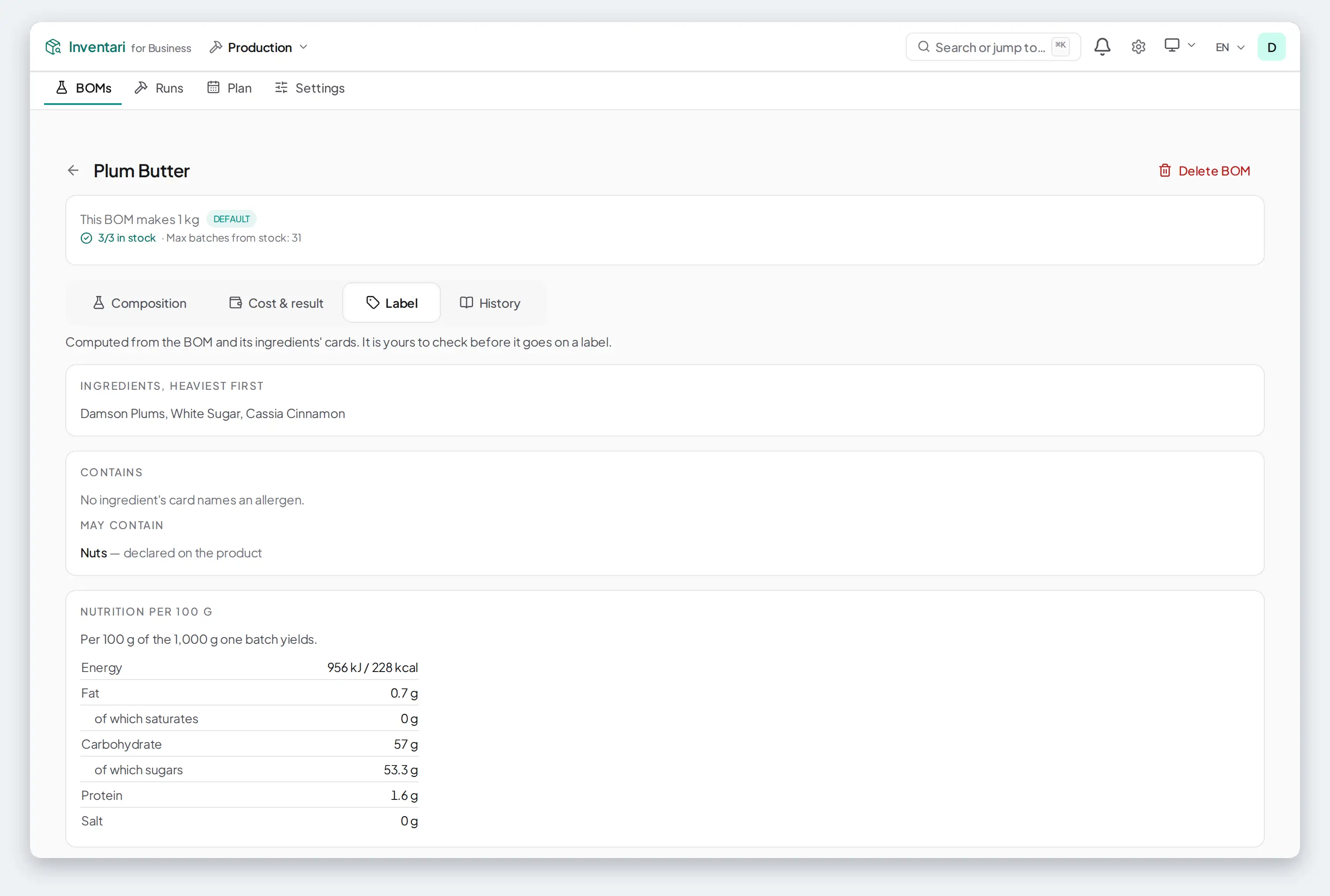
The Label tab of the plum butter BOM: the ingredients, heaviest first; no allergen named by an ingredient's card; may contain nuts, declared on the product; and the nutrition declaration per 100 g — 956 kJ / 228 kcal, 0.7 g fat, 57 g carbohydrate, 53.3 g sugars, 1.6 g protein

The label of a BOM — the ingredient list, the allergens and the nutrition declaration, computed from the ingredients' cards.
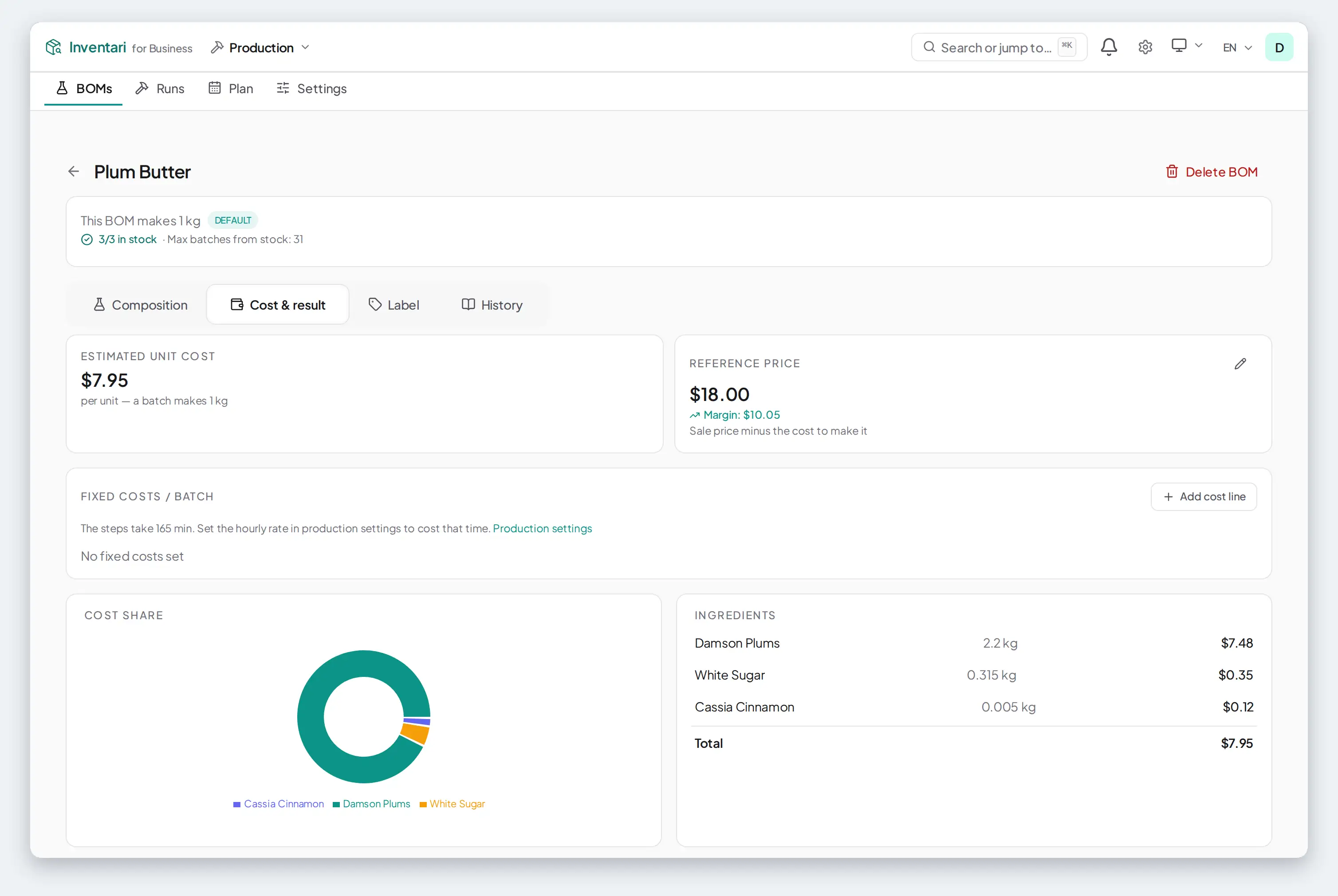
The cost of a plum butter BOM: $7.95 a unit against a reference price of $18.00, a margin of $10.05, and each ingredient's share of the cost

BOM cost — the cost of a unit from the prices of its ingredients, against a reference price.

Stock takes
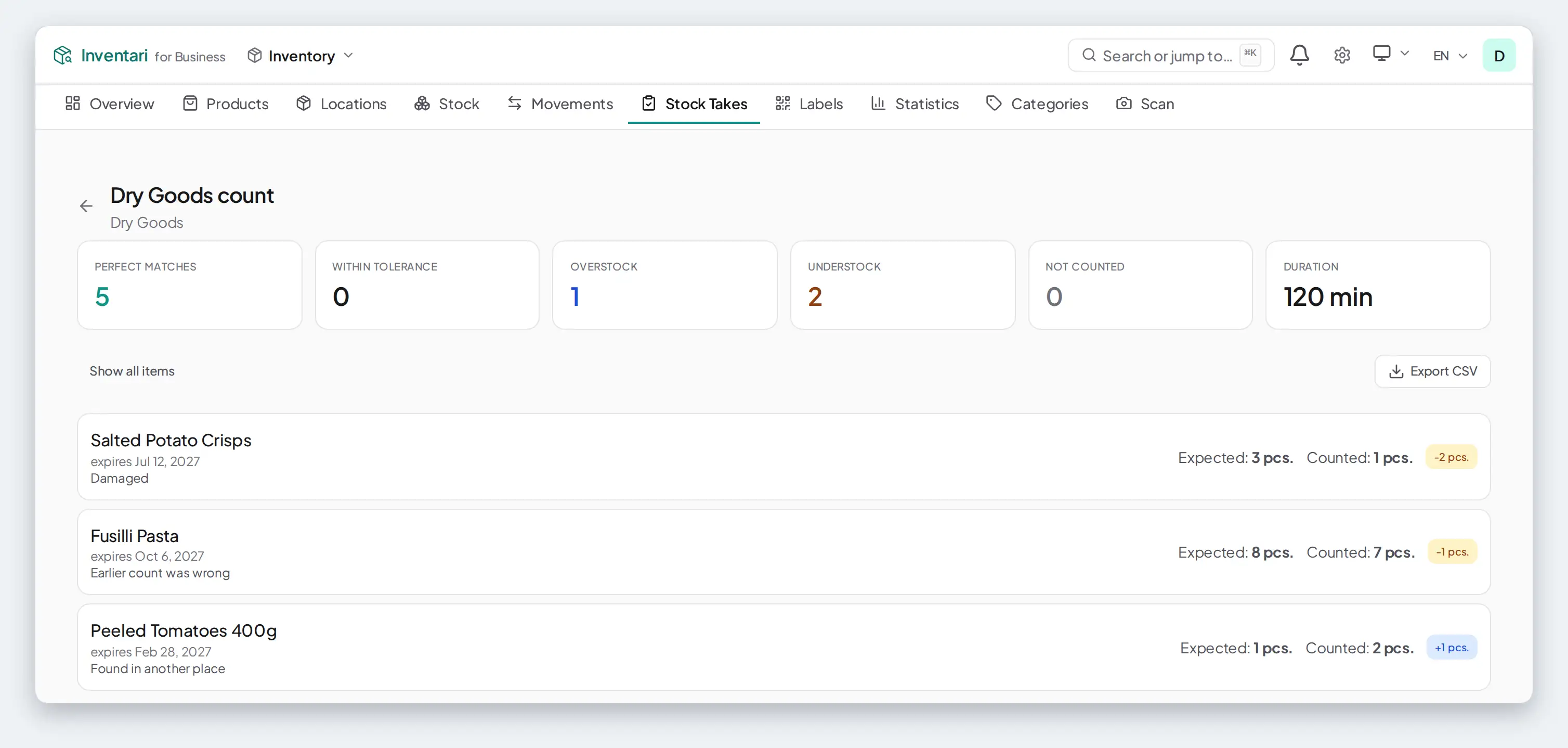
The report of the stock take "Dry Goods count": five items matched, one over and two under, each difference with its reason — damaged, an earlier count was wrong, found in another place

Stock take report — the shelf against the system, and why each difference happened.

On a phone
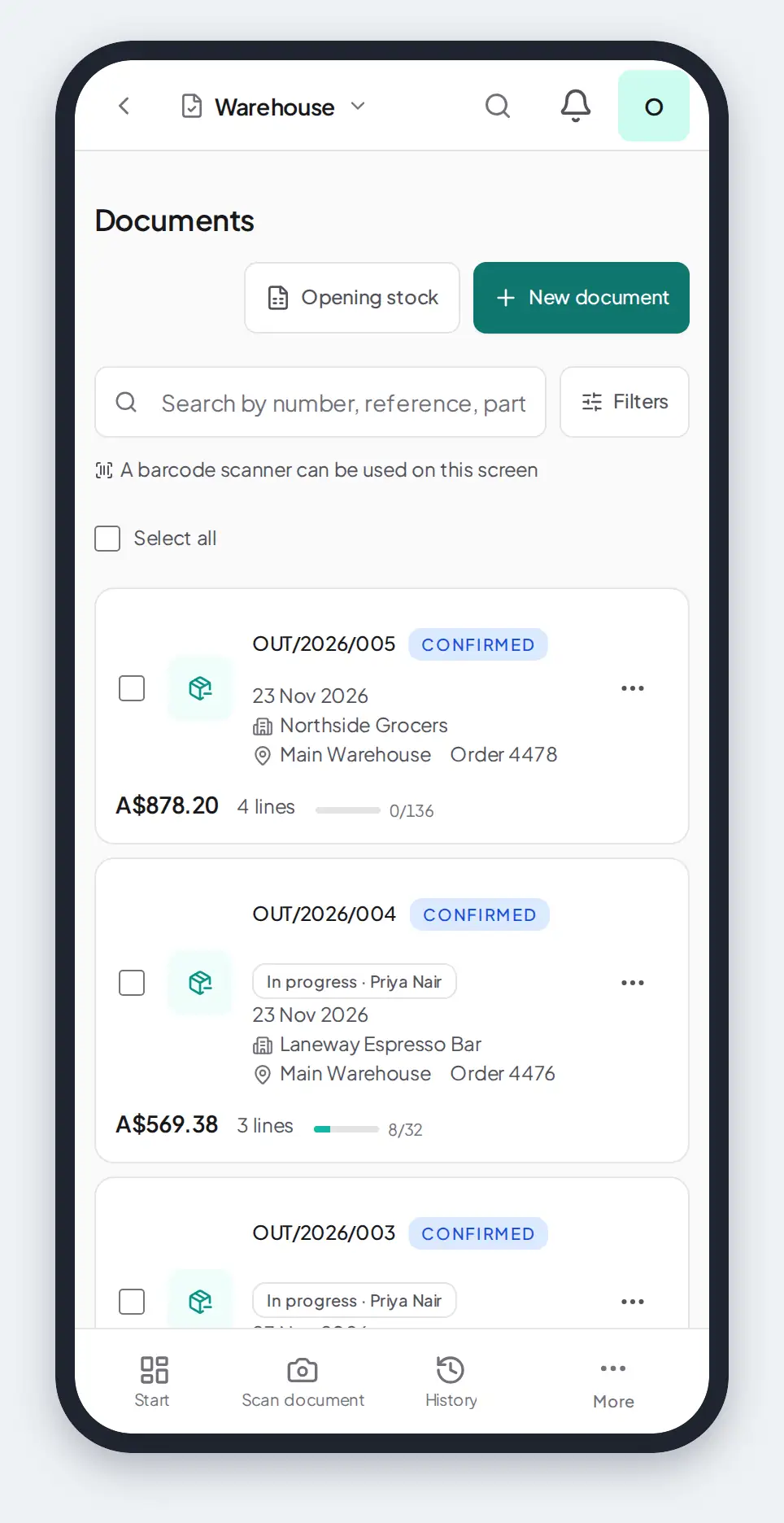
The wholesaler's documents on a phone: each with its number, status, date, partner, location and value, the orders being picked with their progress, above the warehouse's bottom bar of Start, Scan, History and More

Warehouse — the same list, laid out for a phone.

Edit this pageFrom docs/GALLERY.md at release v0.13.0